TABLE OF CONTENTS
- Outreach Details Report
- Outreach Aggregate Report
- Dupe and Undupe Report
- Outreach Statistics Report
- Outreach Demographics Report
- Daily By Month Report
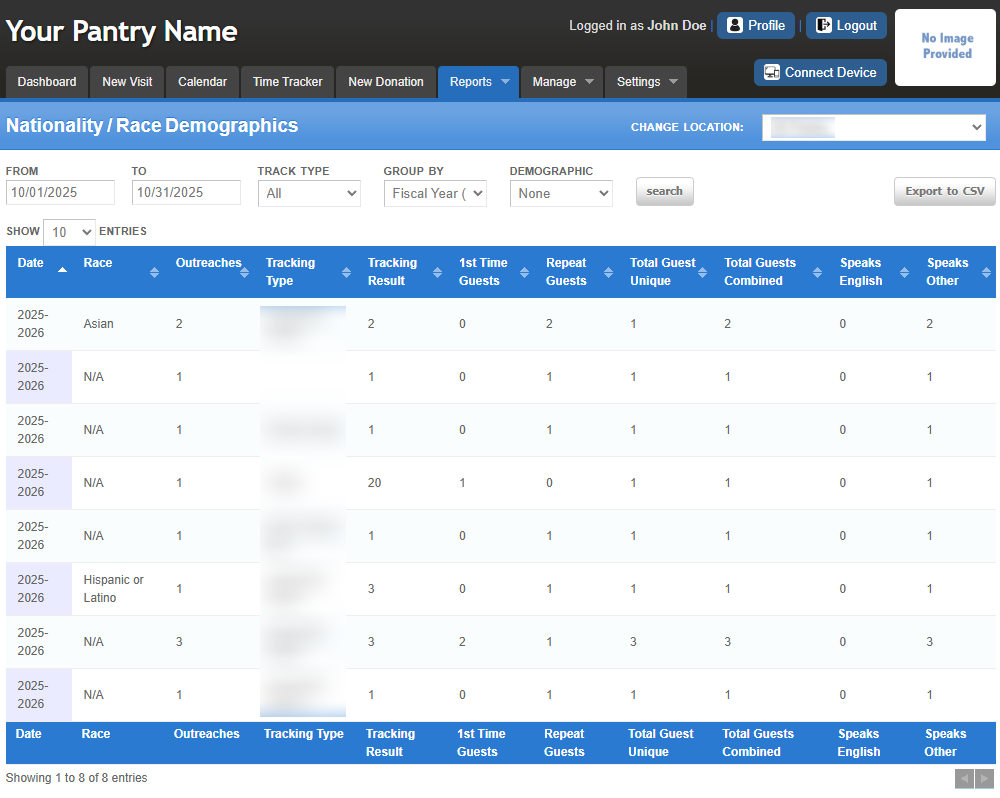
- Nationality/Race Statistics Report
Outreach Details Report
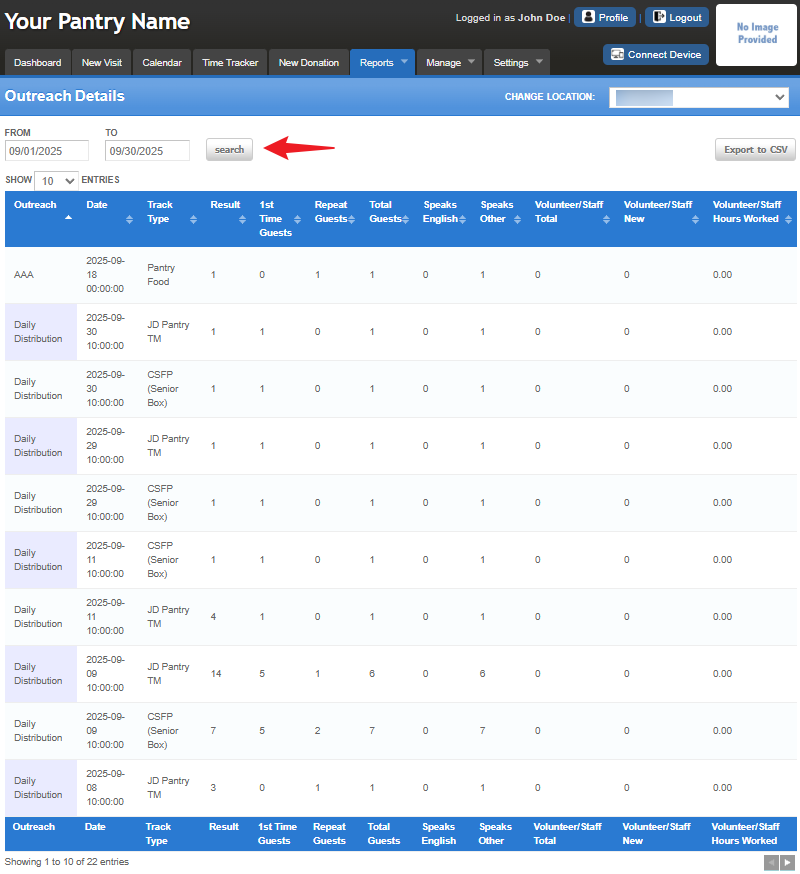
Displays detailed statistical data specific to each individual outreach or distribution event.
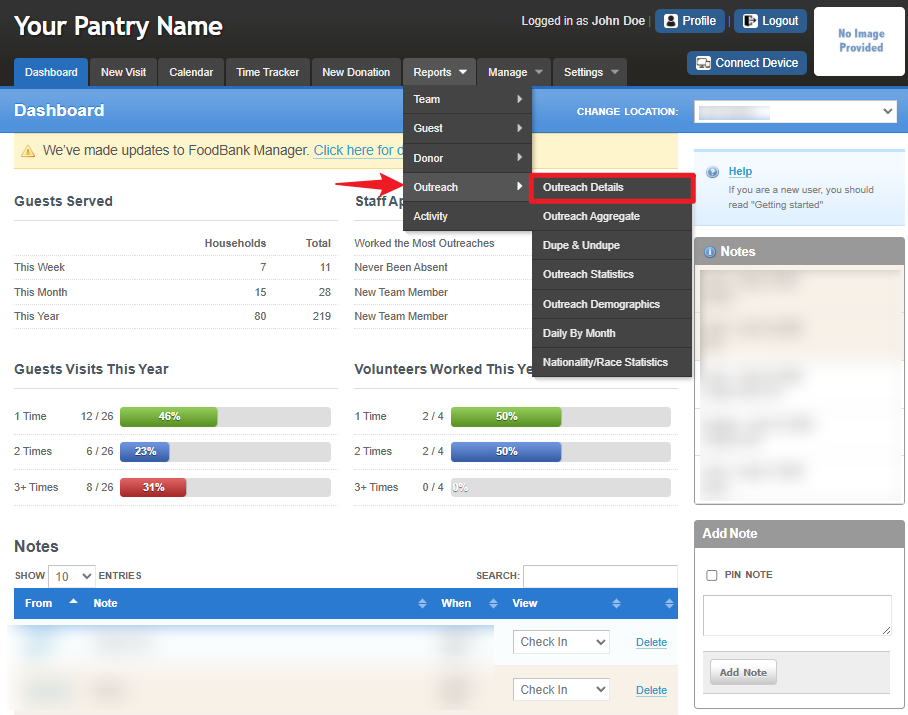
To access the report, go to Reports > Outreach > Outreach Details.
This is a view of the reporting dashboard for Outreach Details report.
Outreach Aggregate Report
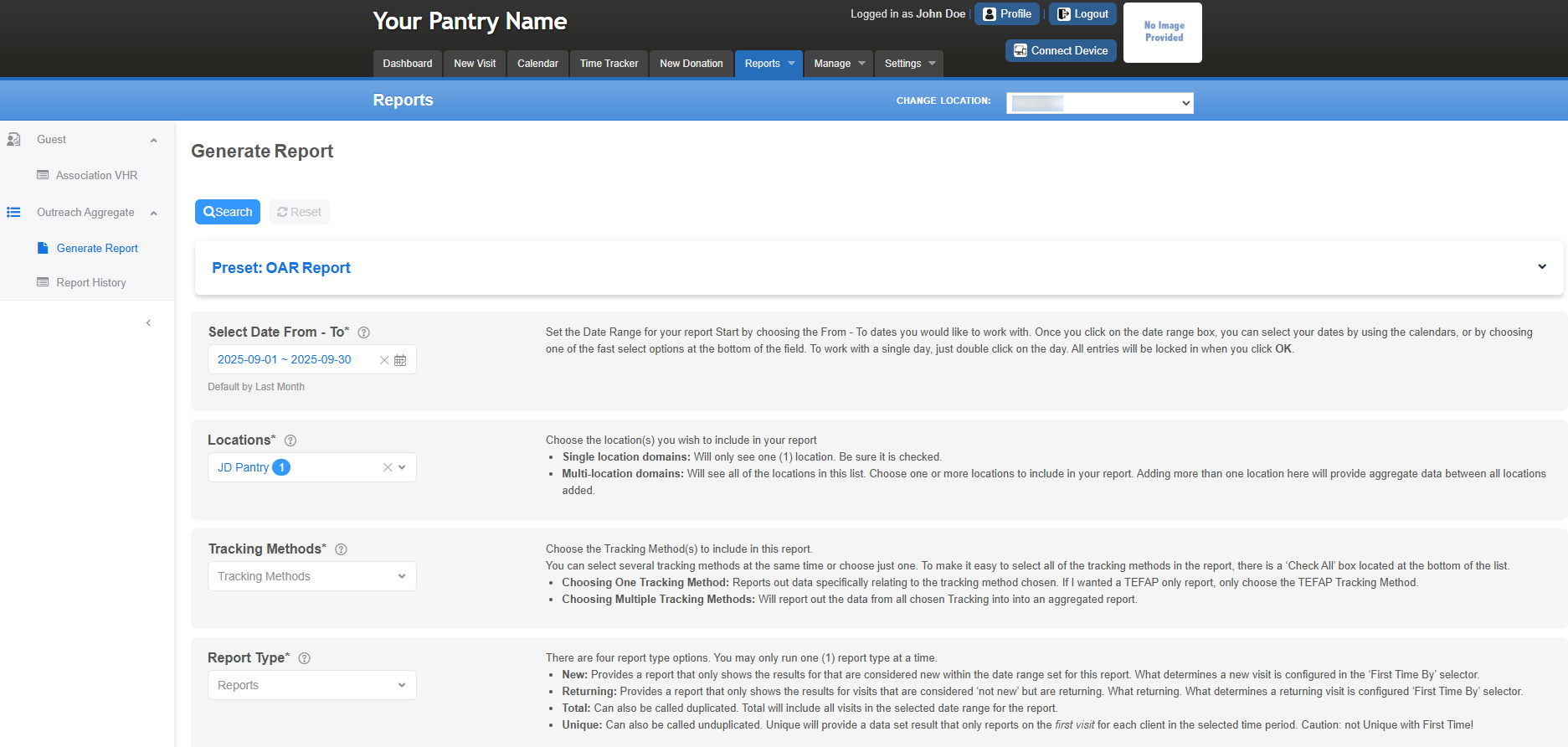
Offers a comprehensive overview of your pantry’s activities with just one click, eliminating the need for complex manual reporting in Excel.
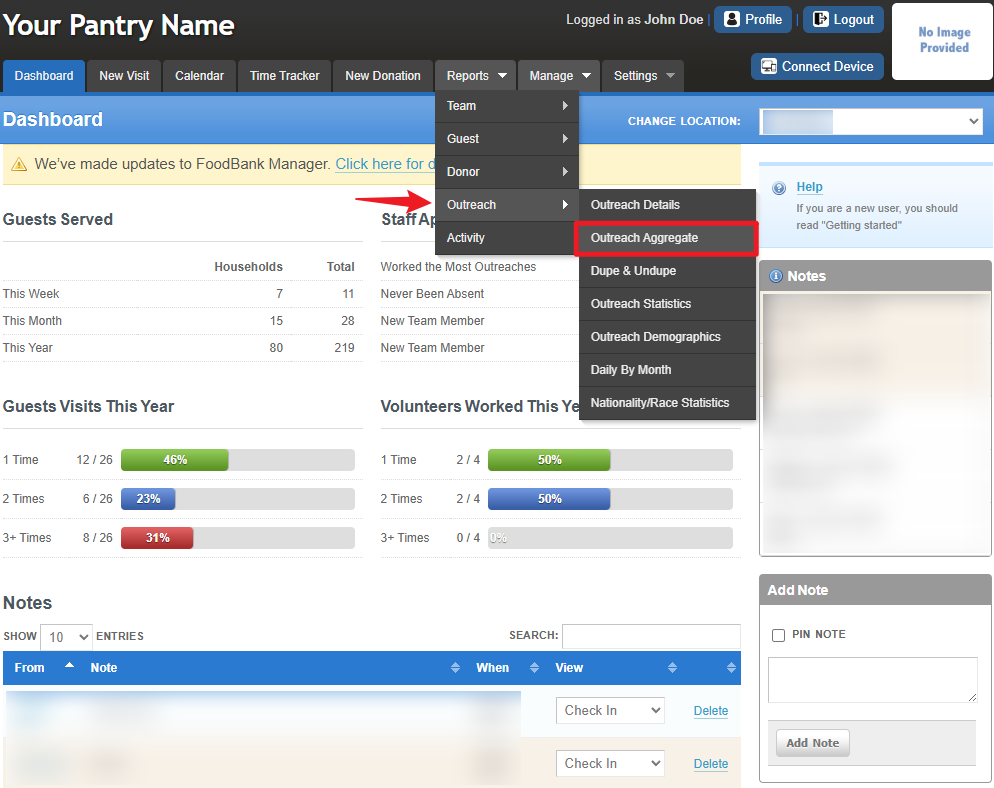
To access the report, go to Reports > Outreach > Outreach Aggregate.
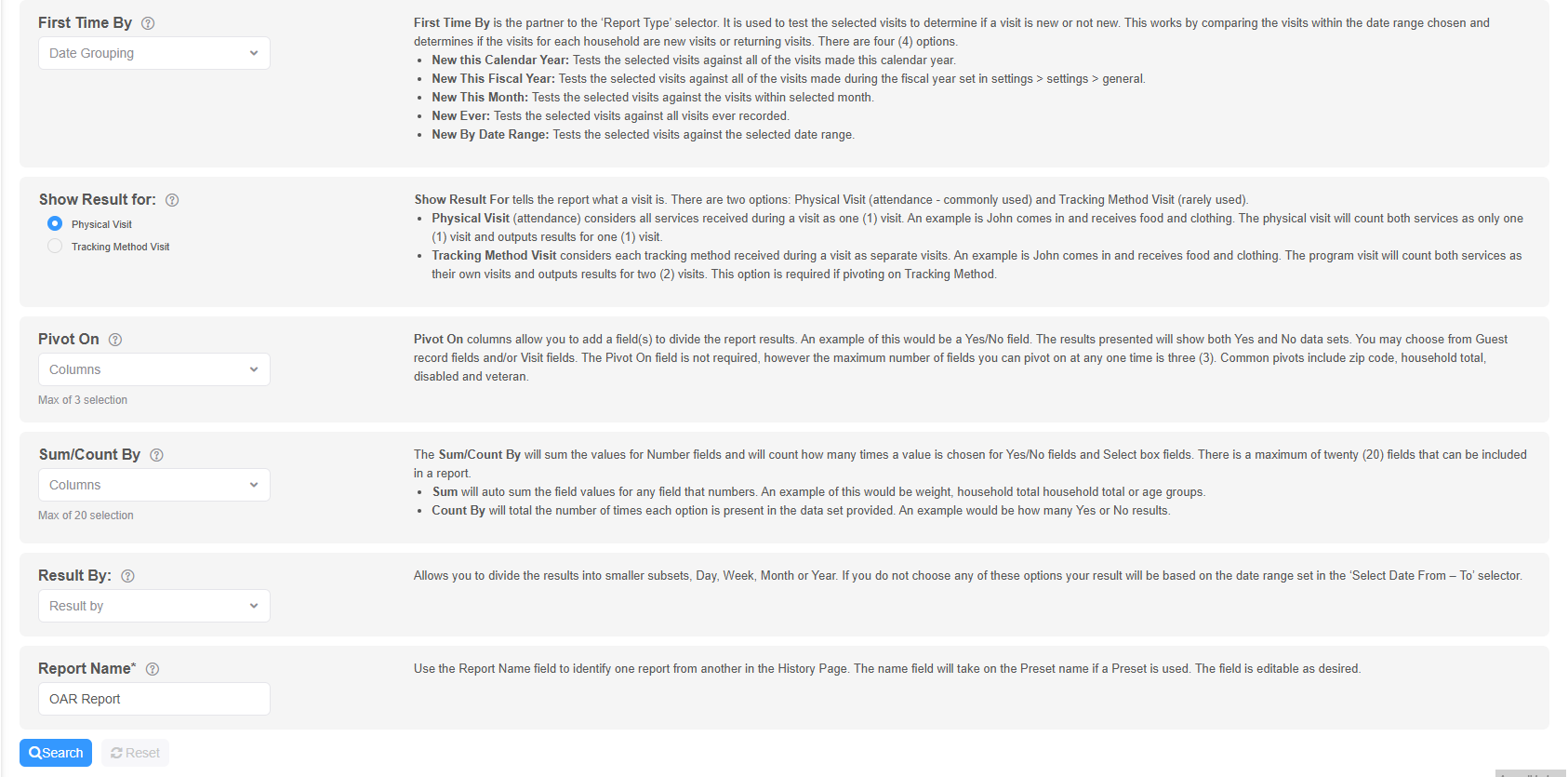
This is a view of the reporting dashboard for Outreach Aggregate report.
Dupe and Undupe Report
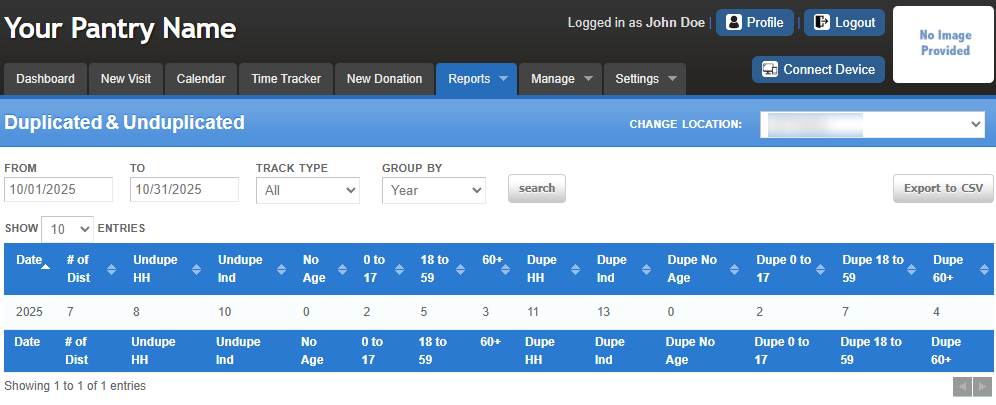
Generates data on duplicated and unduplicated guest counts for accurate reporting.
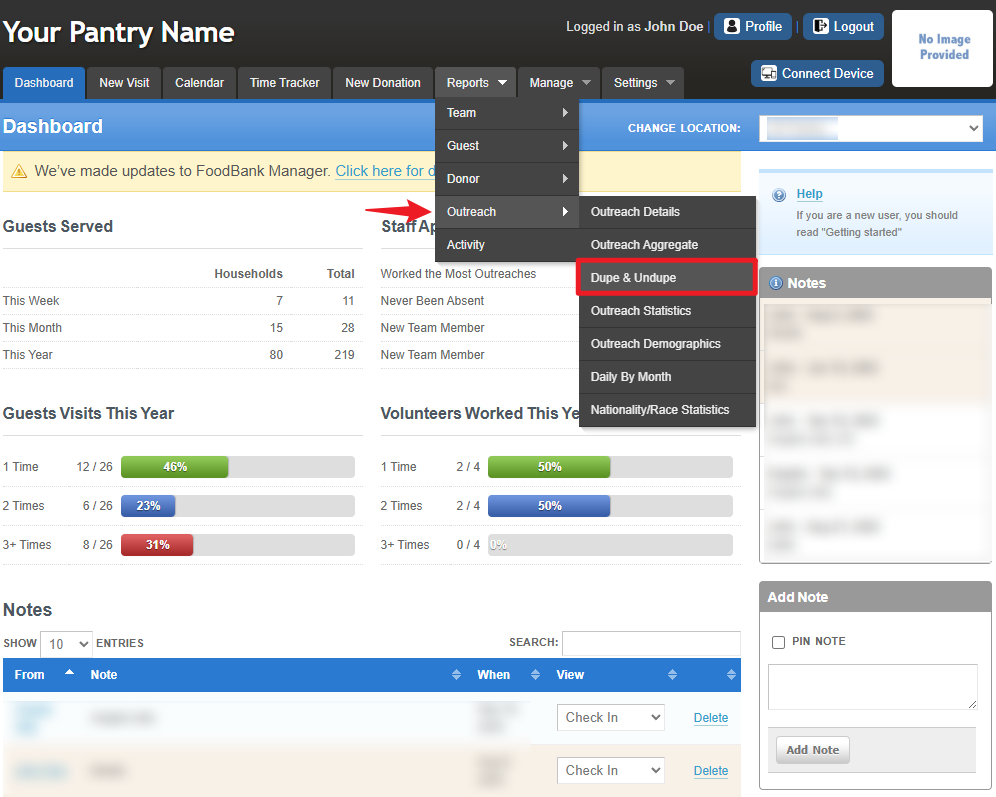
To access the report, go to Reports > Outreach > Dupe & Undupe.
This is a view of the reporting dashboard for Dupe and Undupe Report.
Outreach Statistics Report
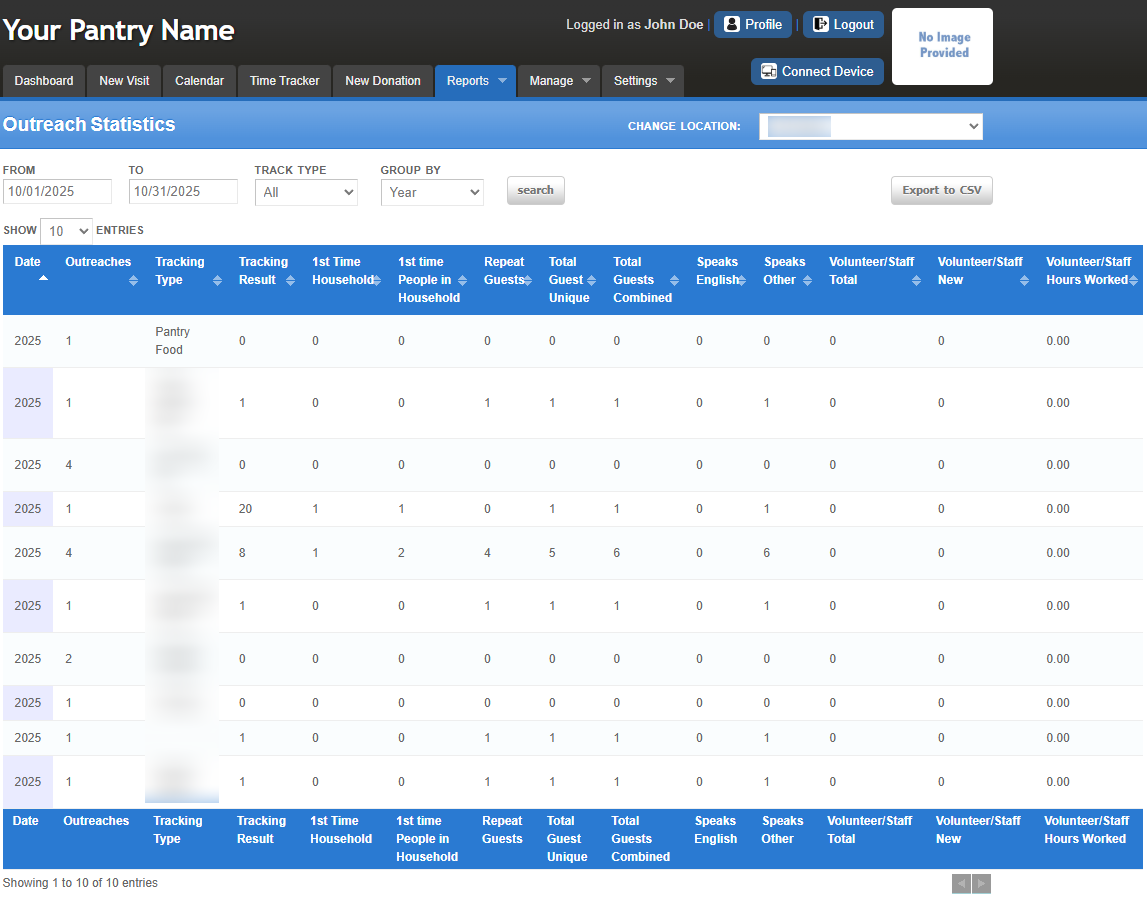
Summarizes statistical data for outreaches or distributions based on the selected date range.
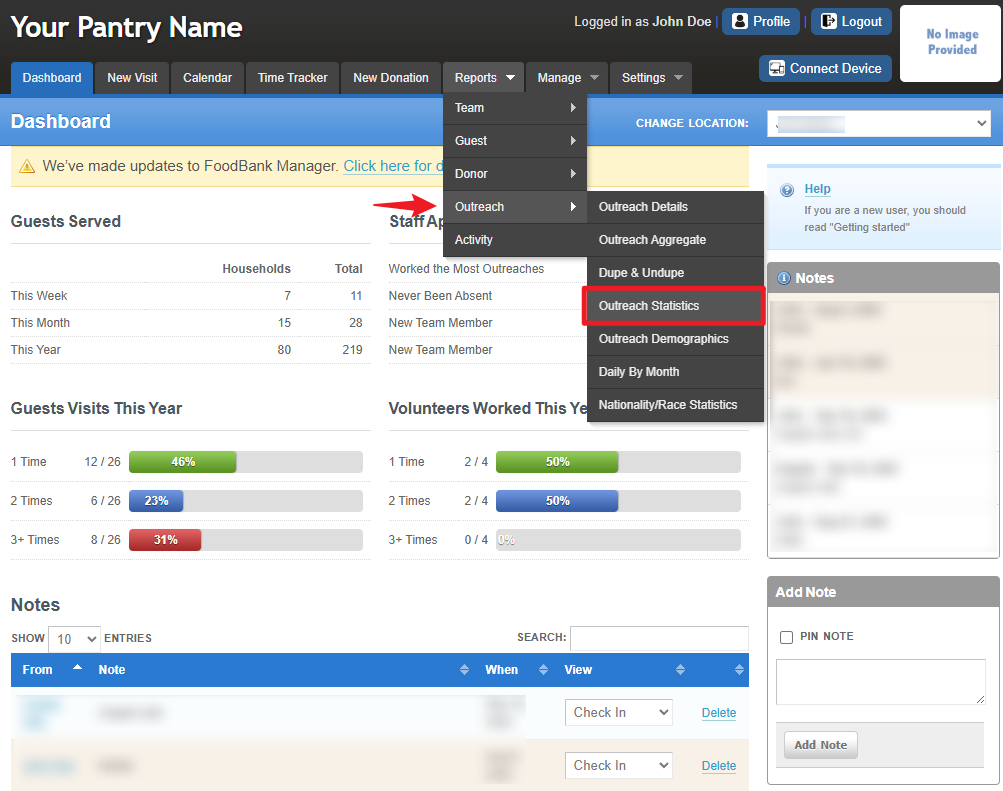
To access the report, go to Reports > Outreach > Outreach Statistics.
This is a view of the reporting dashboard for Outreach Statistics report.
Outreach Demographics Report
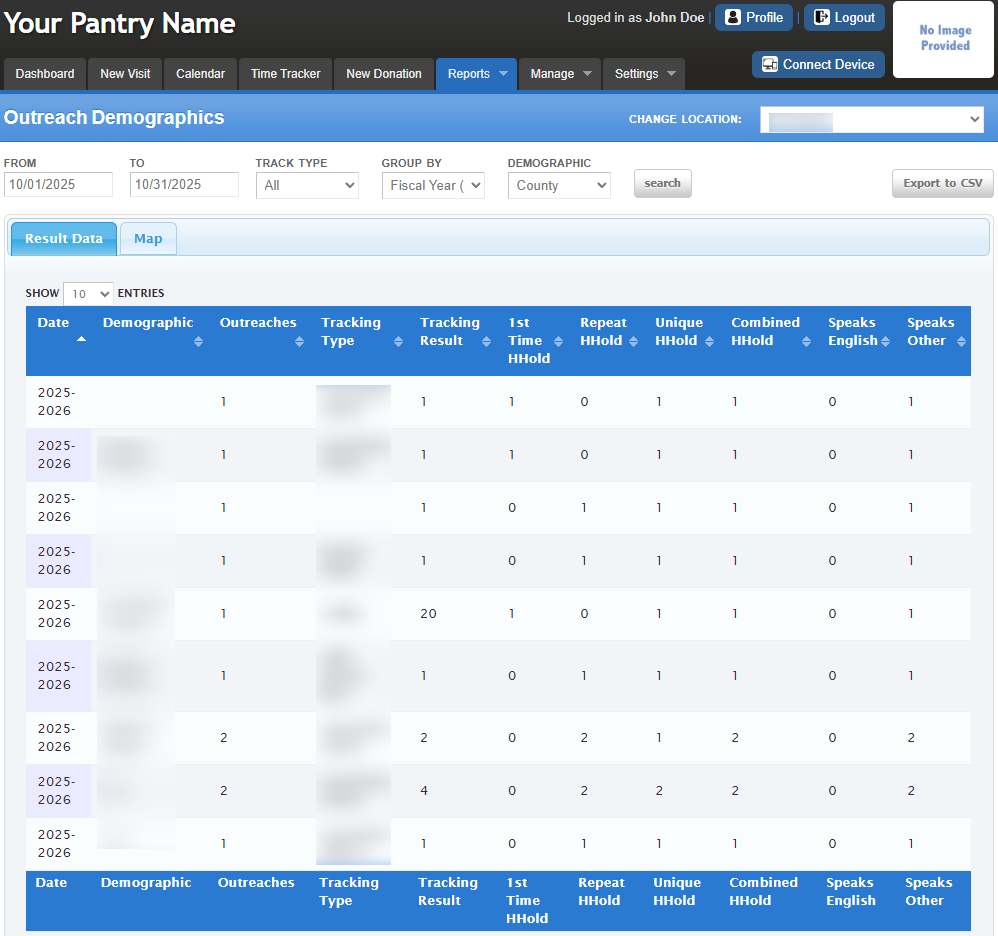
Provides statistical data grouped by city, ZIP code, or county for a clearer understanding of outreach demographics.
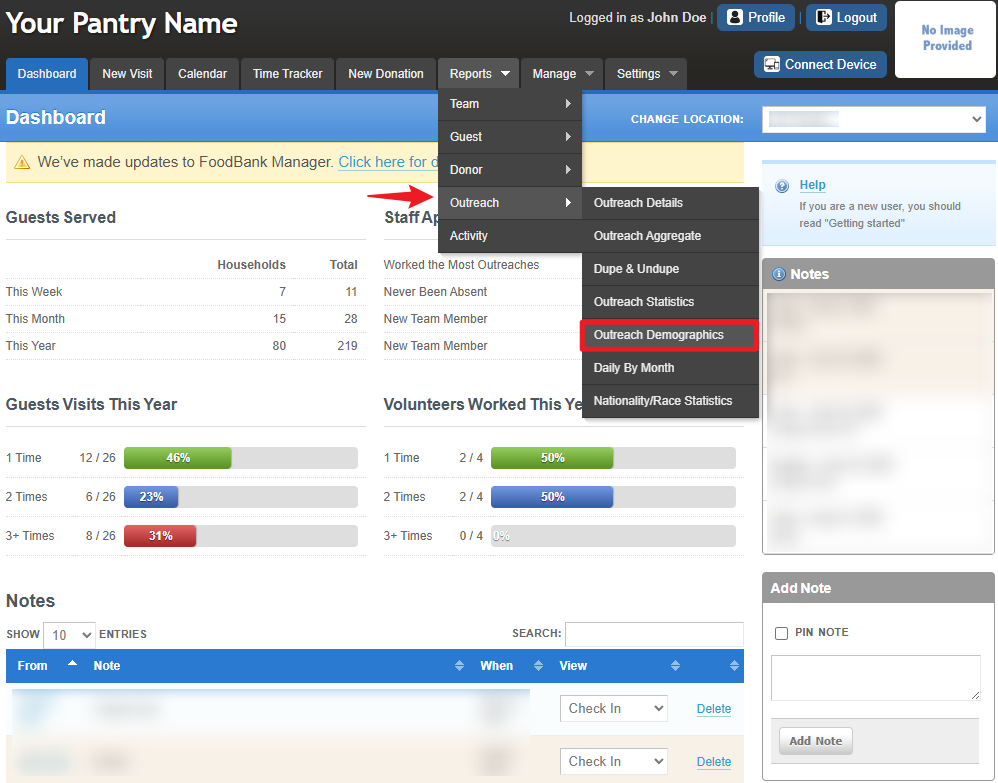
To access the report, go to Reports > Outreach > Outreach Demographics.
This is a view of the reporting dashboard for Outreach Demographics report.
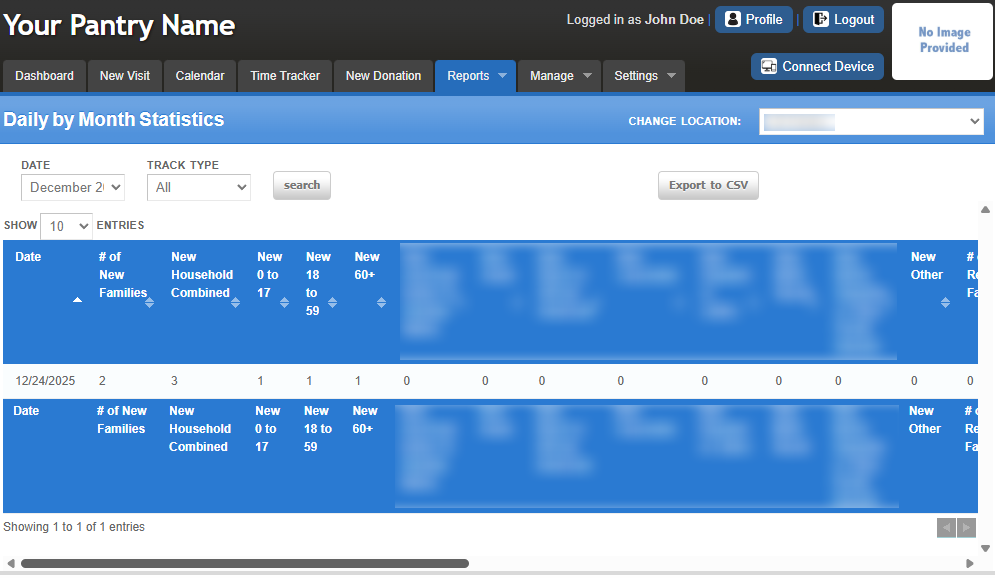
Daily By Month Report
Tracks attendance by treating each participant as new every month, providing insights into new versus returning guests along with monthly demographics.
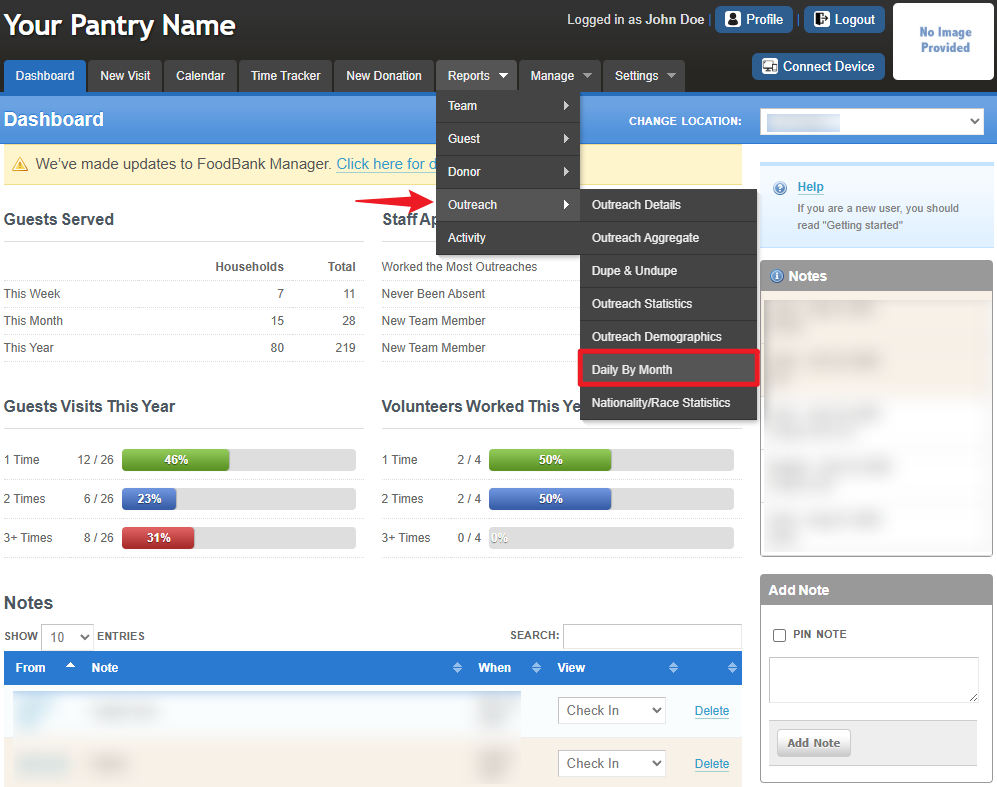
To access the report, go to Reports > Outreach > Daily By Month.
This is a view of the reporting dashboard for Daily by Month report.
Nationality/Race Statistics Report
Presents statistical data categorized by nationality or race, further grouped by city, ZIP code, or county for deeper demographic insights.
To access the report, go to Reports > Outreach > Nationality/Race Statistics.
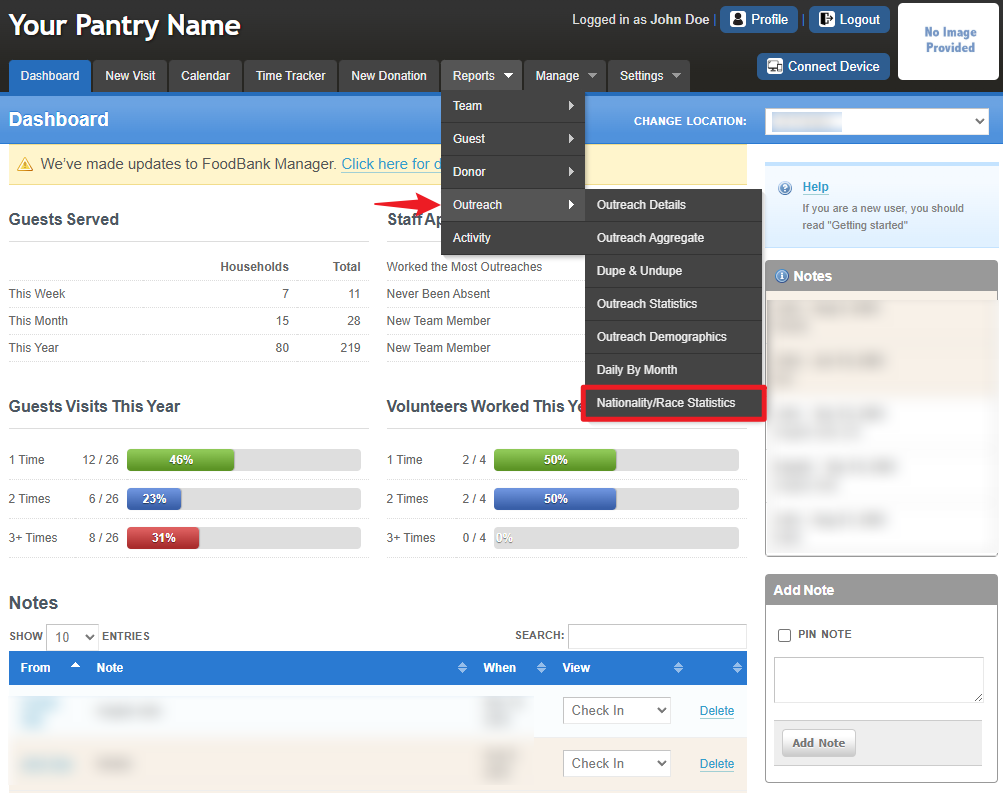
This is a view of the reporting dashboard for Nationality/Race Statistics report.
Was this article helpful?
That’s Great!
Thank you for your feedback
Sorry! We couldn't be helpful
Thank you for your feedback
Feedback sent
We appreciate your effort and will try to fix the article