TABLE OF CONTENTS
Donors Report
Displays all donor information stored in your database.
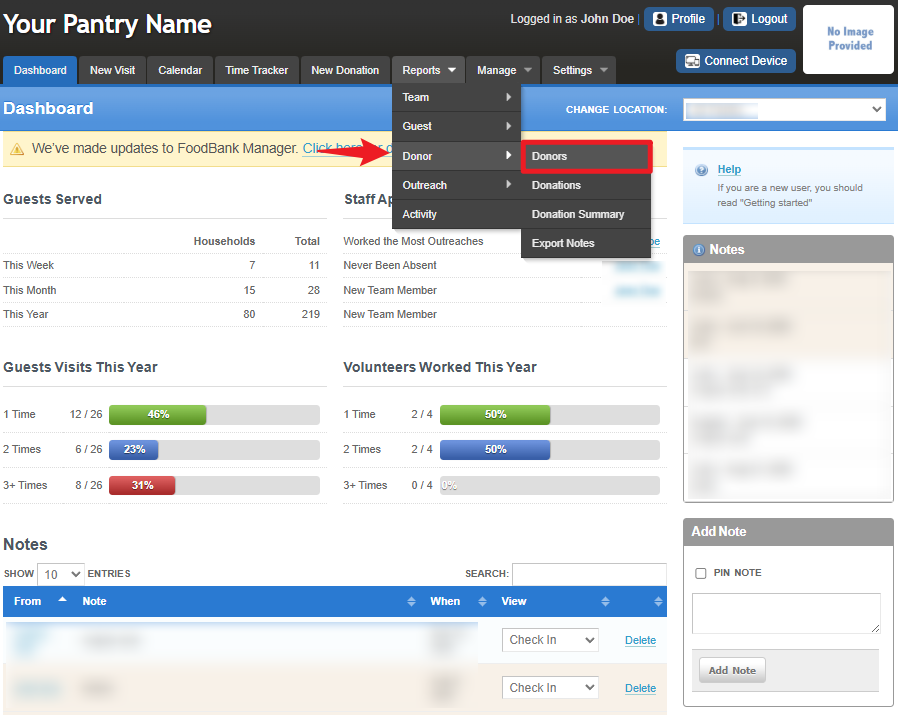
To access the report, go to Reports > Donor > Donors.
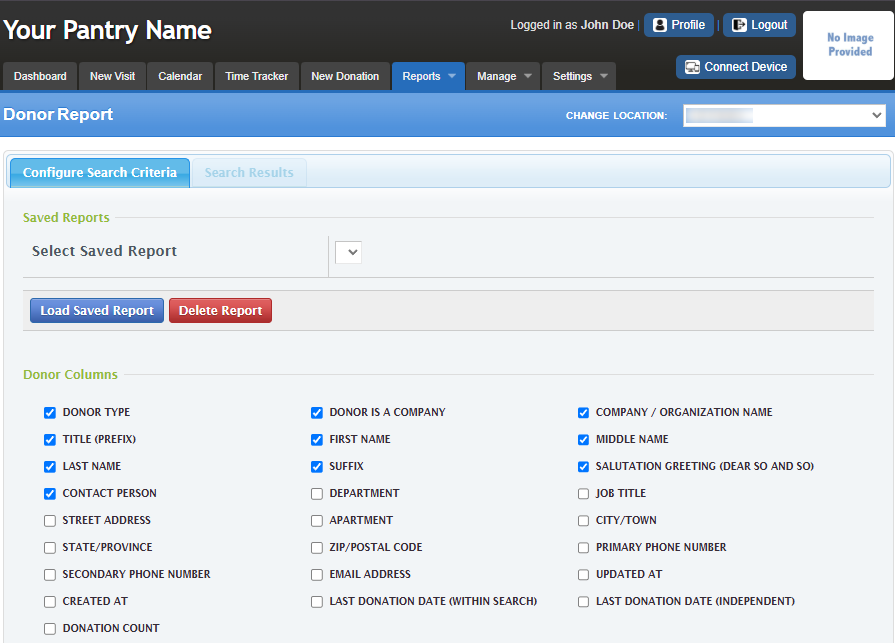
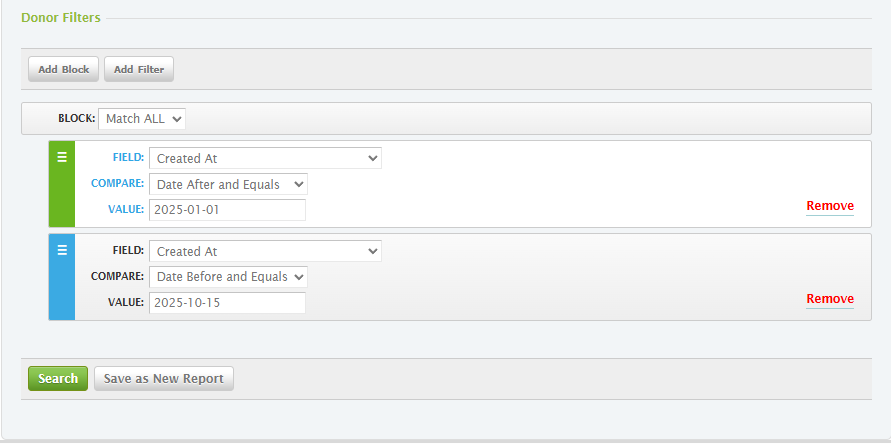
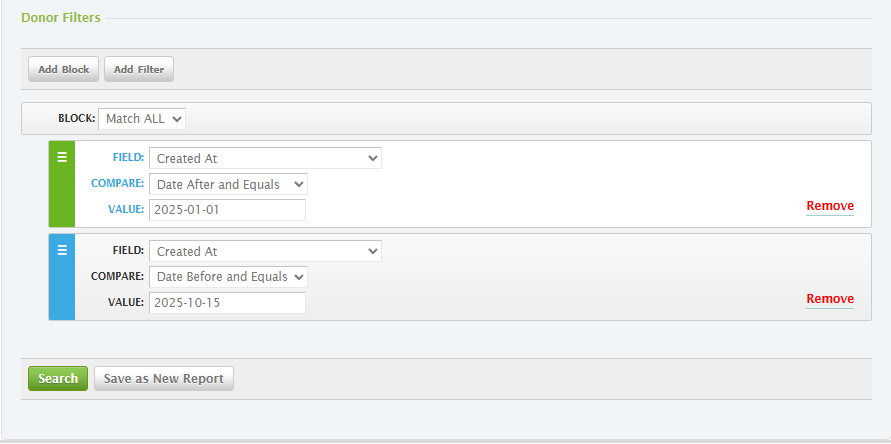
You can configure the Search Criteria section by selecting the checkboxes you need under Donor Columns. Set your preferred Donor filters, then click Search to display the results or choose Save as New Report to save your customized report settings.
Donations Report
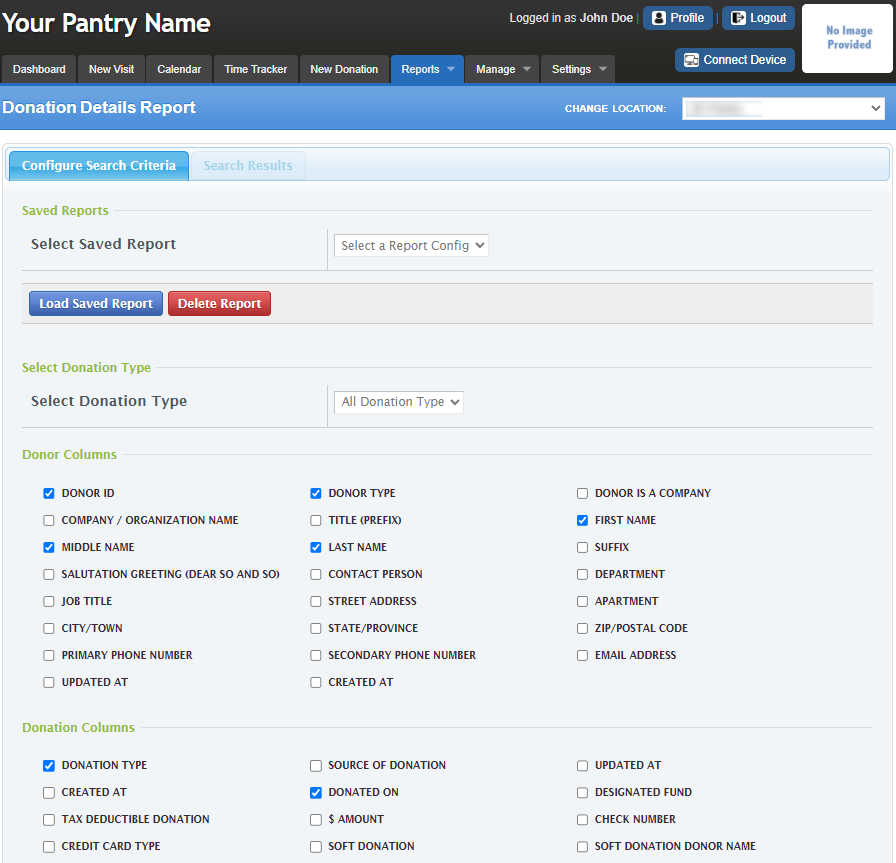
Lists all donations along with donor details, amounts, donation types, and other related information.
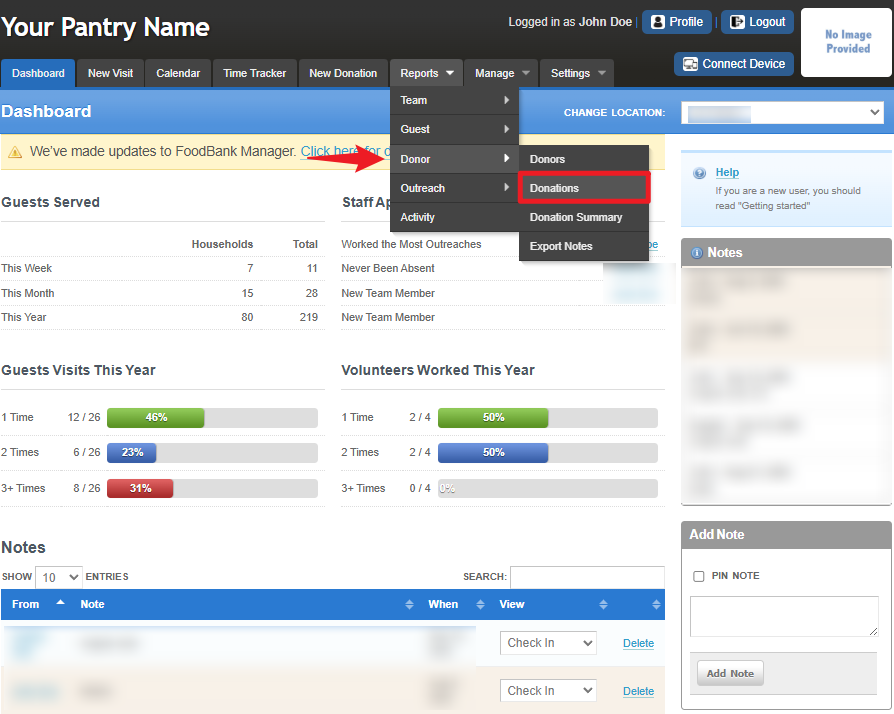
To access the report, go to Reports > Donor > Donations.
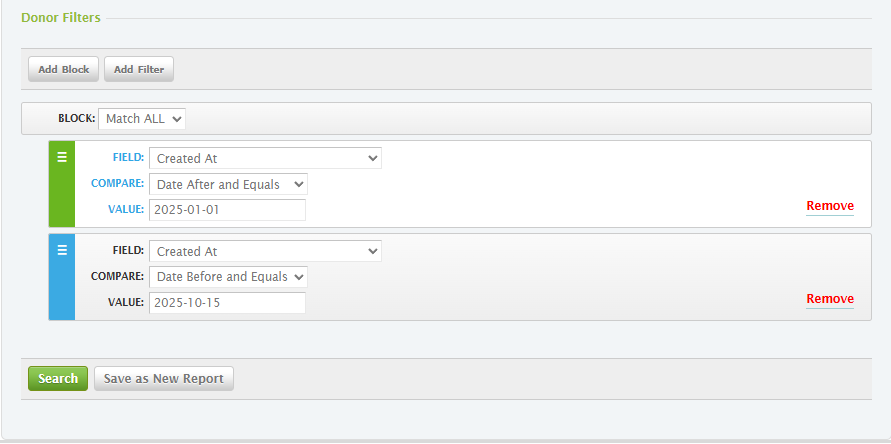
You can configure the Search Criteria section by Choosing Donation Type, and selecting the checkboxes you need under Donor Columns and Donation Columns. Set your preferred Donor filters, then click Search to display the results or choose Save as New Report to save your customized report settings.
Donation Summary Report
Provides summarized totals of donations, grouped and categorized in various ways for easier analysis.
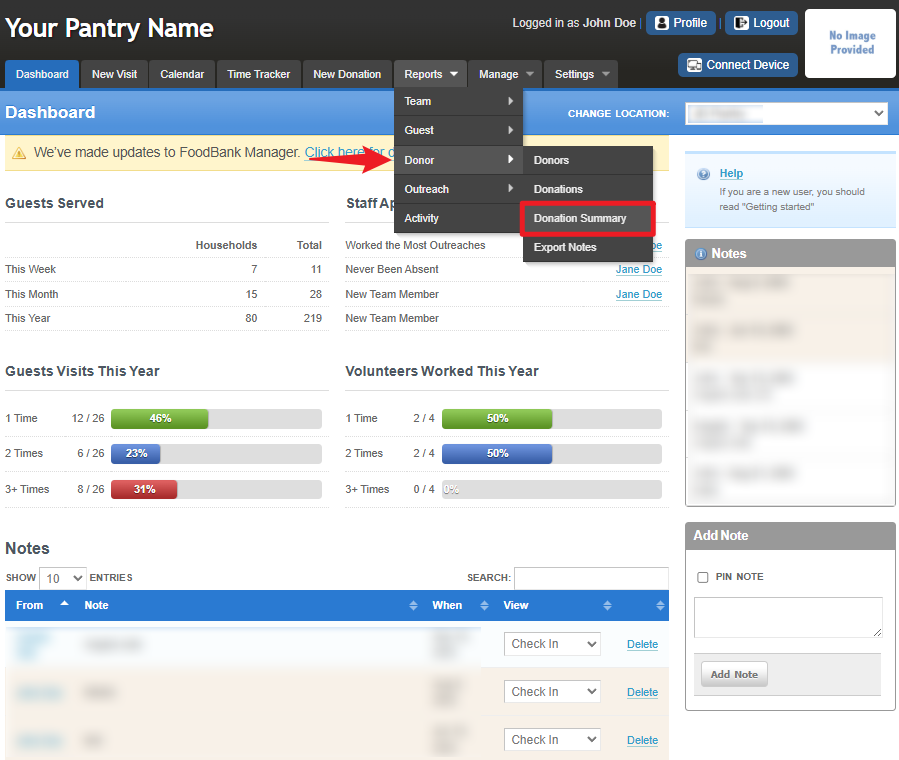
To access the report, go to Reports >Donor > Donation Summary.
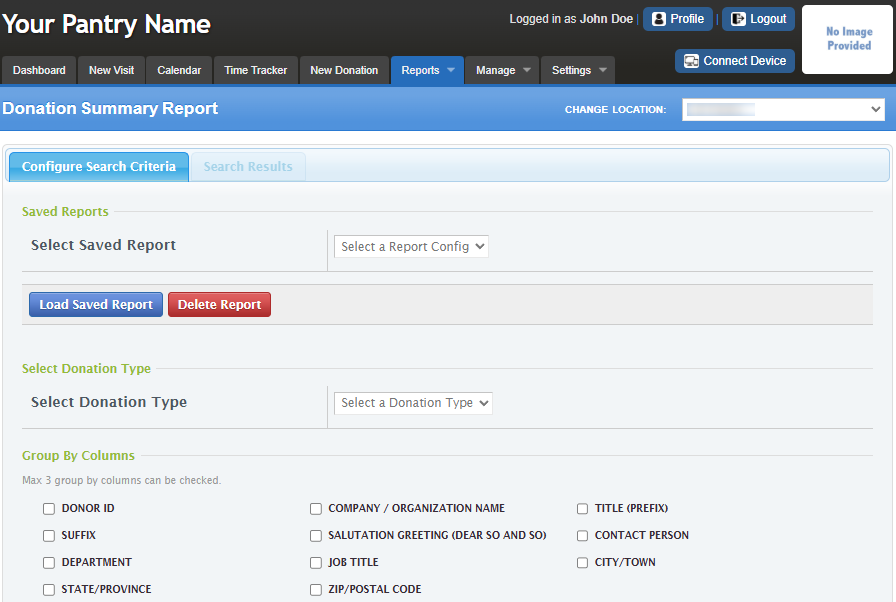
You can configure the Search Criteria section by Choosing Donation Type, and selecting the checkboxes you need under Group by Columns. Set your preferred Donor filters, then click Search to display the results or choose Save as New Report to save your customized report settings.
Export Notes
This provides a raw data export containing donor information based on the selected criteria you choose to include.
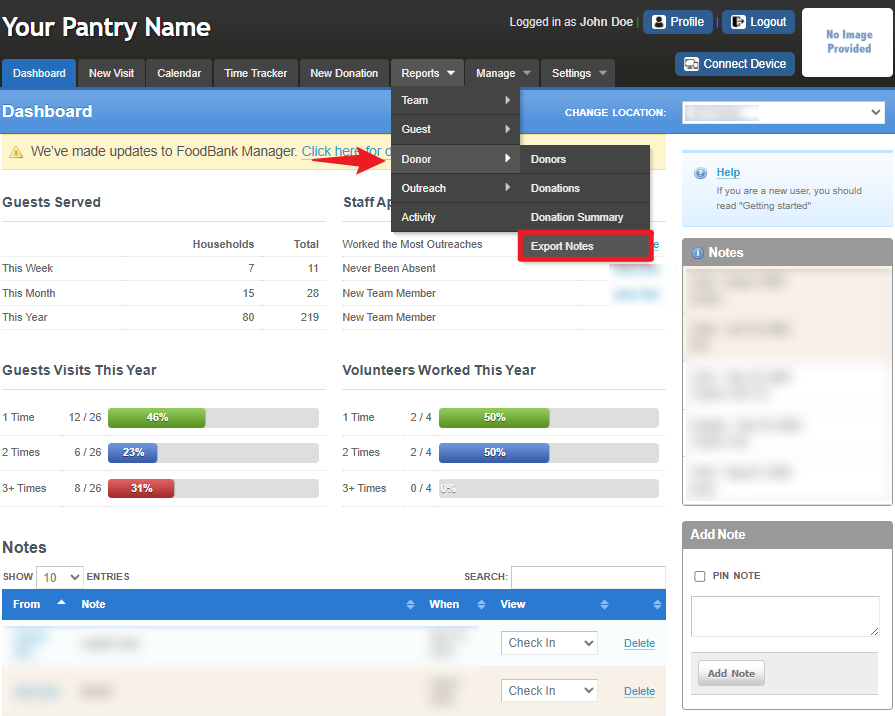
To access the report, go to Reports > Donor > Export Notes.
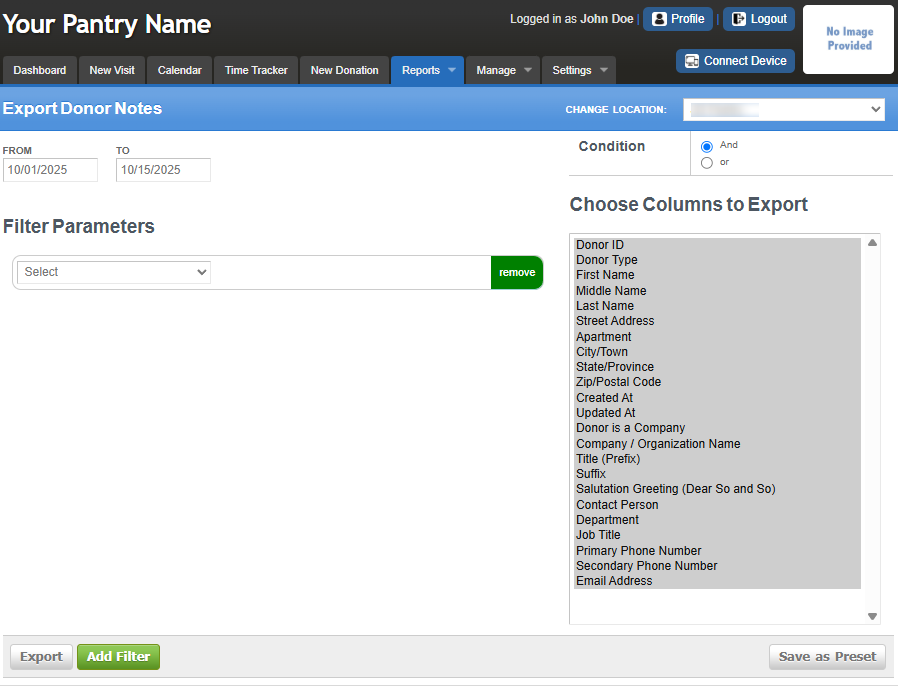
In this section, you can select which columns to export from the right side of the screen. You can also set Filter Parameters by clicking Add Filter and configuring them based on your desired output. Additionally, you may use the AND and OR conditions to refine your results. Once done, you can Export the data as a CSV file for record tracking.
Was this article helpful?
That’s Great!
Thank you for your feedback
Sorry! We couldn't be helpful
Thank you for your feedback
Feedback sent
We appreciate your effort and will try to fix the article