TABLE OF CONTENTS
Donation Types
Donation Types define the category or nature of items or resources received by the food bank. This classification helps track and report donations accurately.
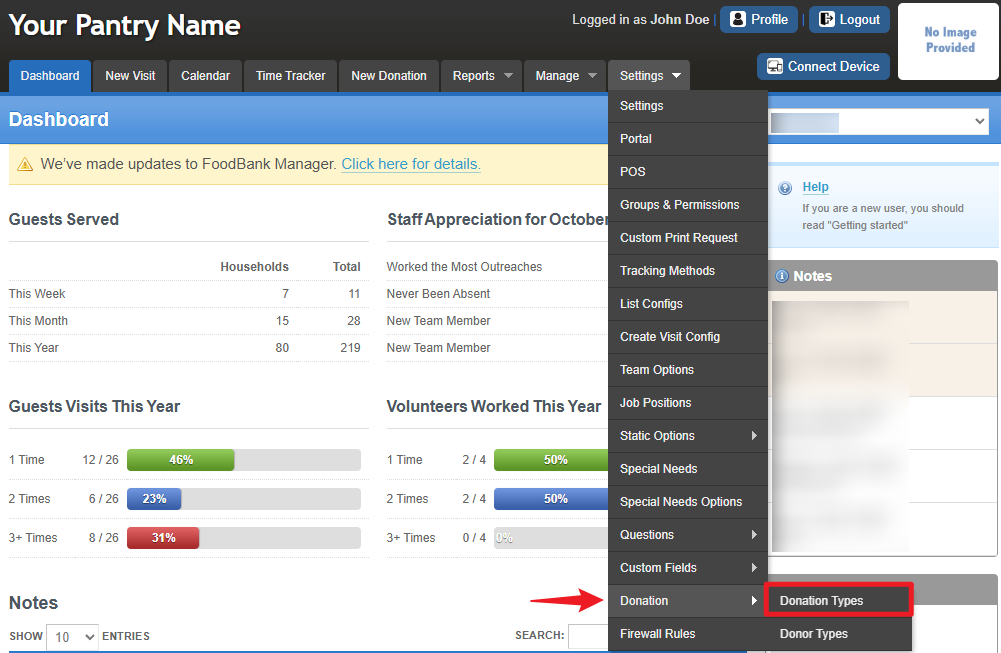
Each time a donation is entered into Food Bank Manager, it must be assigned a Donation Type. To access it, go to Settings > Donation > Donation Types.
The Donation Tracking Types section allows you to define and manage the different kinds of donations your organization receives or distributes. Each type helps categorize and track donations accurately for reporting and auditing purposes
Each donation type (e.g., Cash, Check, Food Incoming, Goods, Services) represents a category of contribution or outgoing resource.
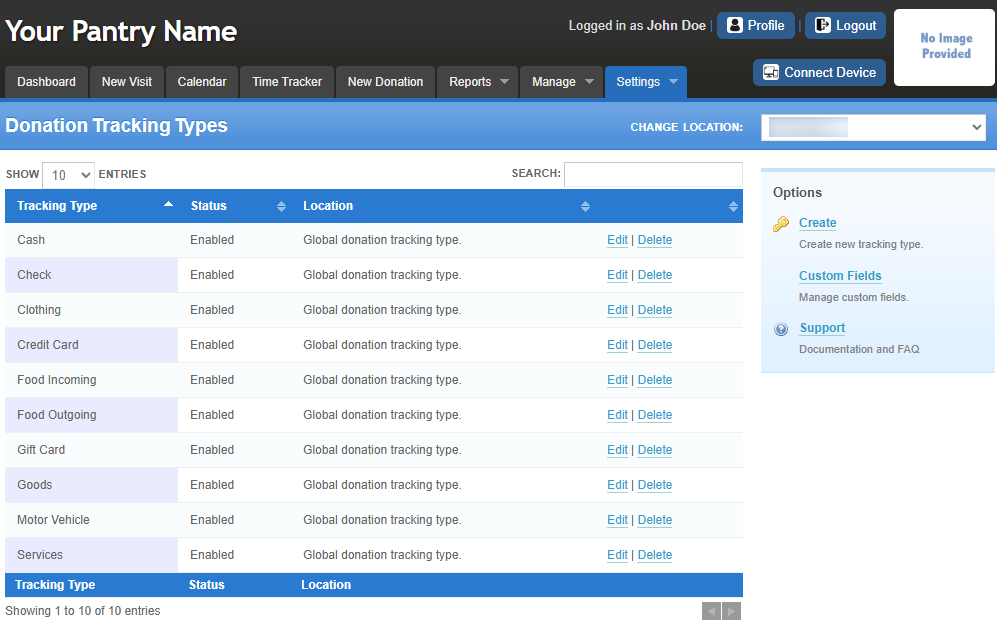
The Status column shows whether the tracking type is currently active (Enabled).
The Location indicates that the donation type applies globally across the system.
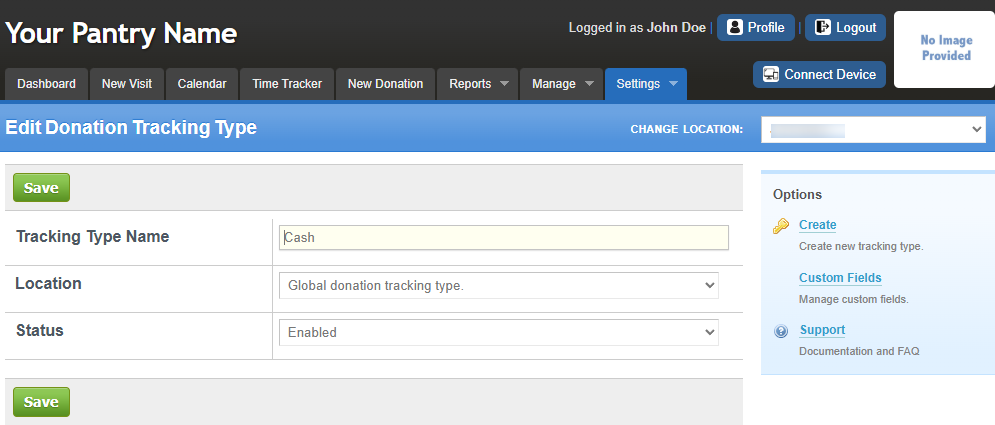
You can Edit or Delete each donation type as needed.
Note: The Donation Type you created will appear under New Donation > Select a Donor > Create Donation > Donation Type and when adding or editing a Donor, as shown in the image below.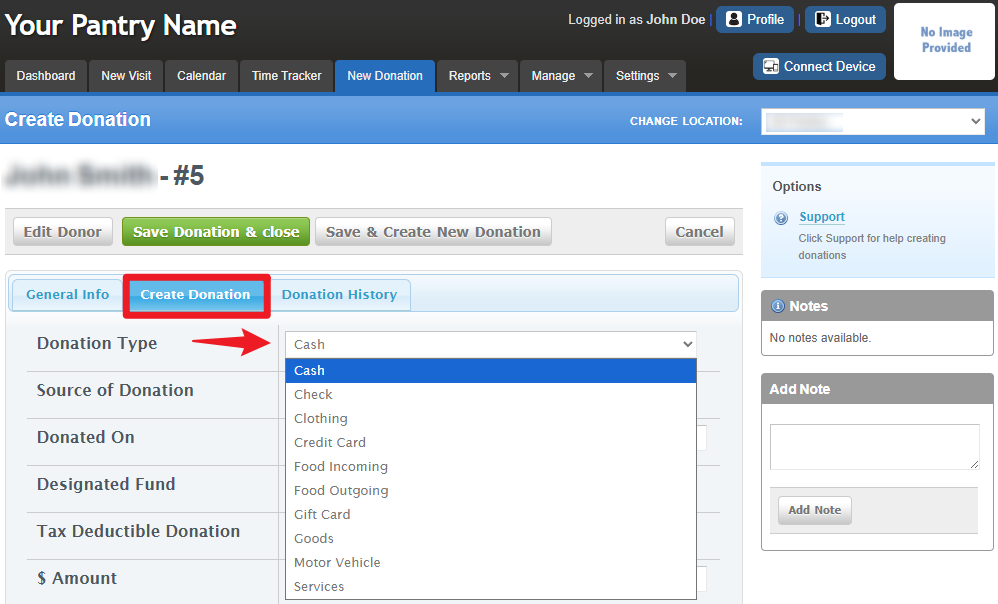
For more information about donations, please refer to this link: New Donation
Donor Types
Donor Types classify the source of each donation, identifying who is contributing to the food bank. This provides better visibility into donor relationships and engagement levels.
Donor Types are used in reports to analyze donation sources, measure outreach success, and strengthen donor management.
To access it, go to Settings > Donation > Donation Types.
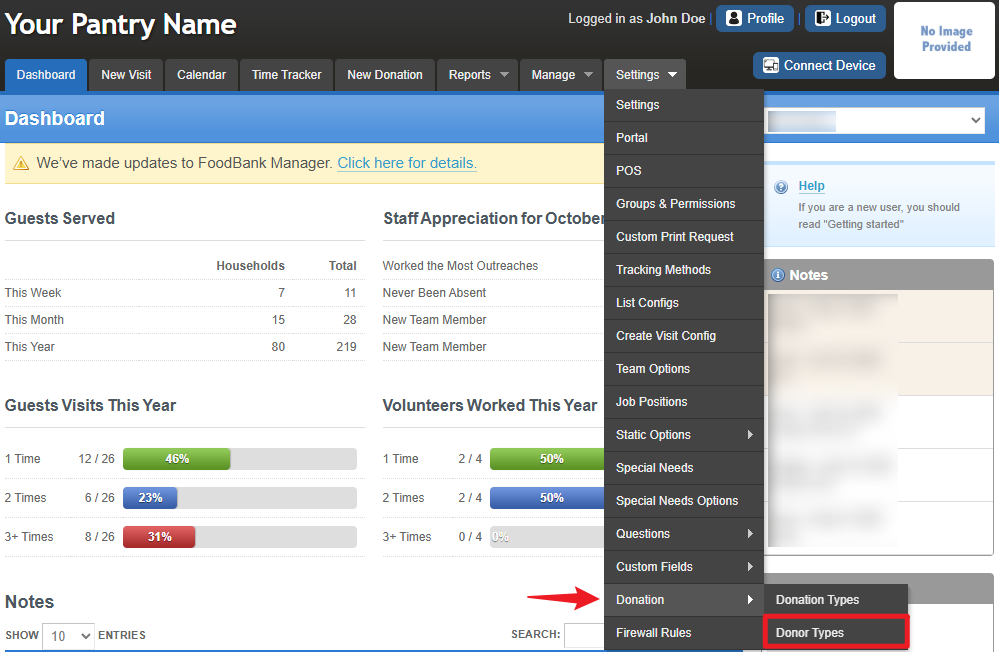
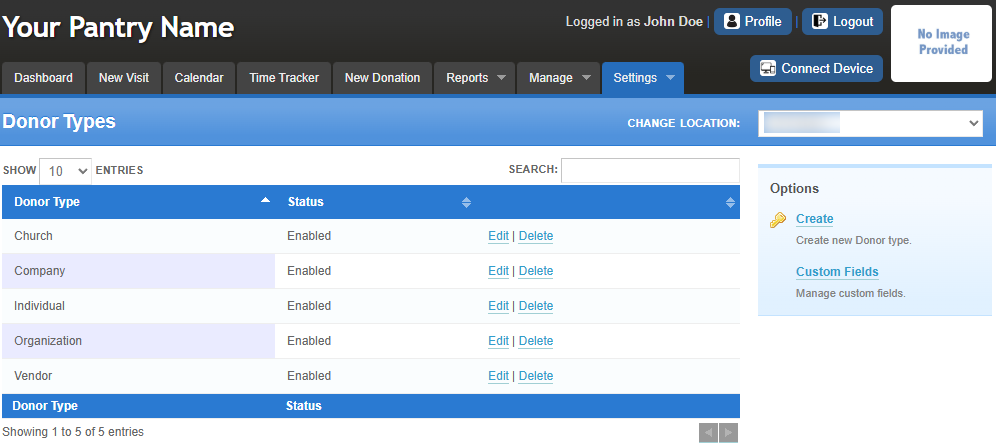
When adding or editing a donor record, a Donor Type can be assigned. These are customizable categories that represent the kind of donor, such as Individual, Business, Organization, Church, or Community Group.
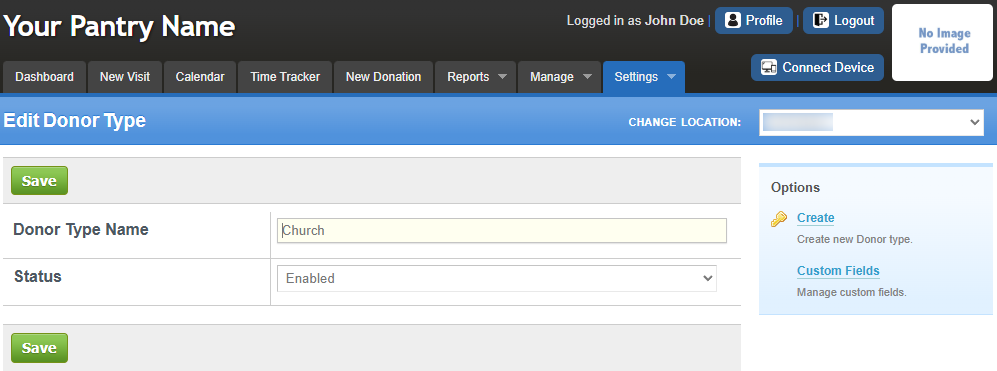
The Edit Donor Type page allows you to create or modify donor categories (e.g., Church, Business, Individual) and set their status to organize and track donations efficiently.
Note: The Donor Type name you create will appear under Manage > Donor when adding or editing a donor, as shown in the image below.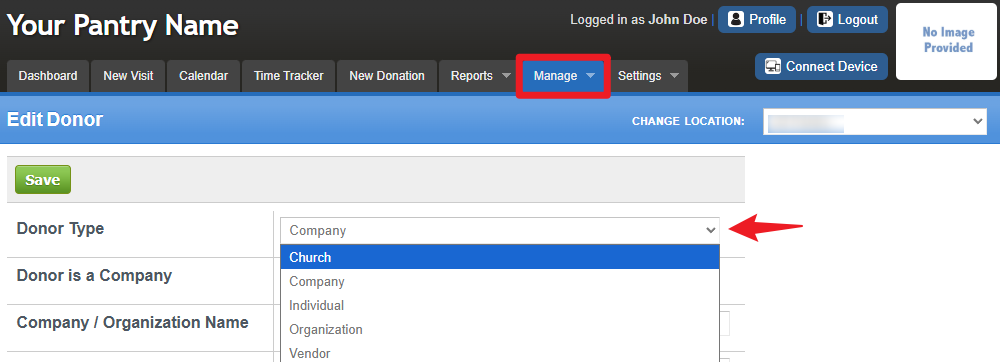
For more information about donors, please refer to this link: Manage Donors
Was this article helpful?
That’s Great!
Thank you for your feedback
Sorry! We couldn't be helpful
Thank you for your feedback
Feedback sent
We appreciate your effort and will try to fix the article