TABLE OF CONTENTS
This article is broken up into several sections. Use the links below to go to the section you are interested in
Access the Calendar
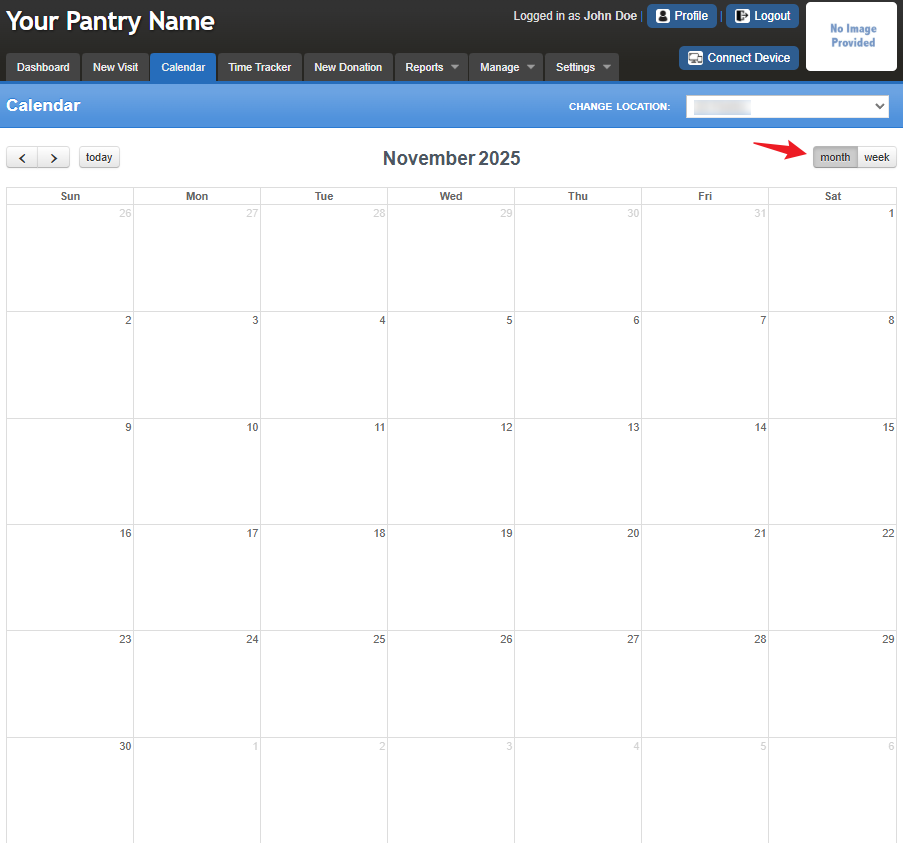
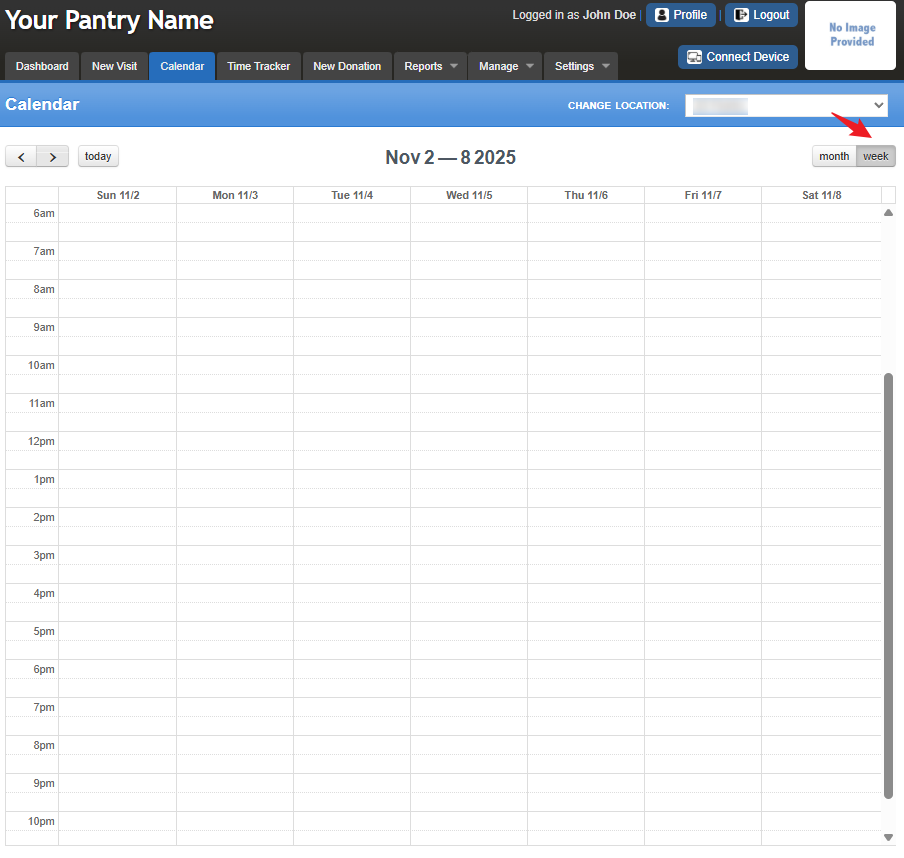
To view your calendar, go to the Calendar tab. You can choose to display it by month, week, or day (today). Simply click the corresponding button to switch between views.
Calendar Controls
To view a different month, use the forward or backward buttons to navigate between months.
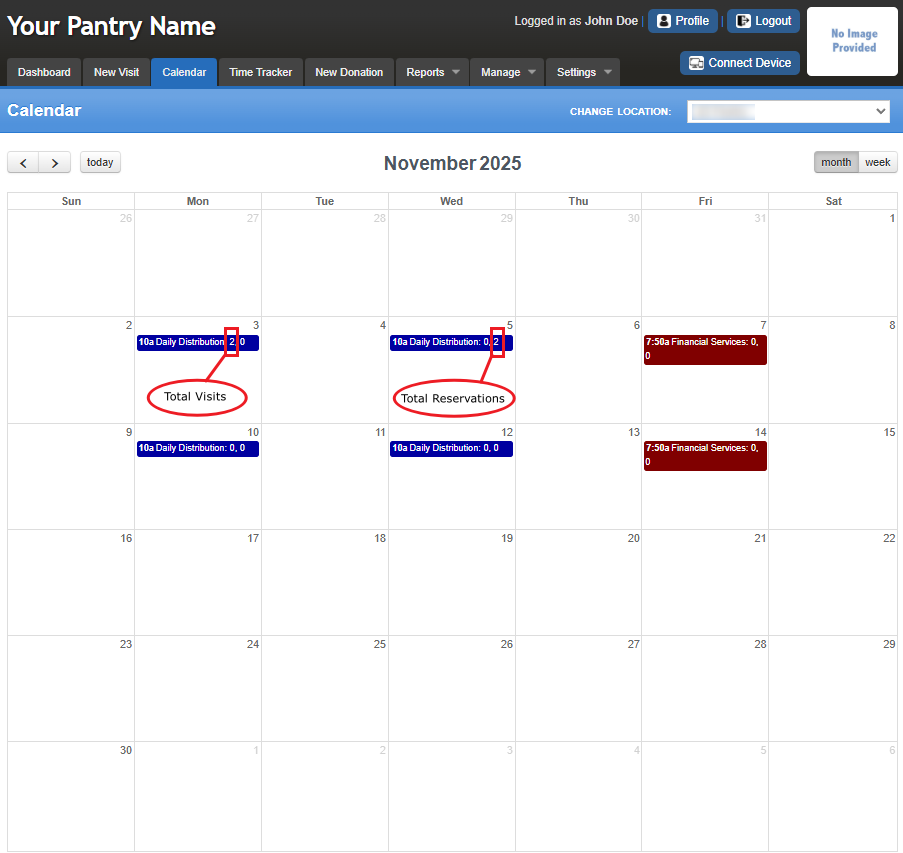
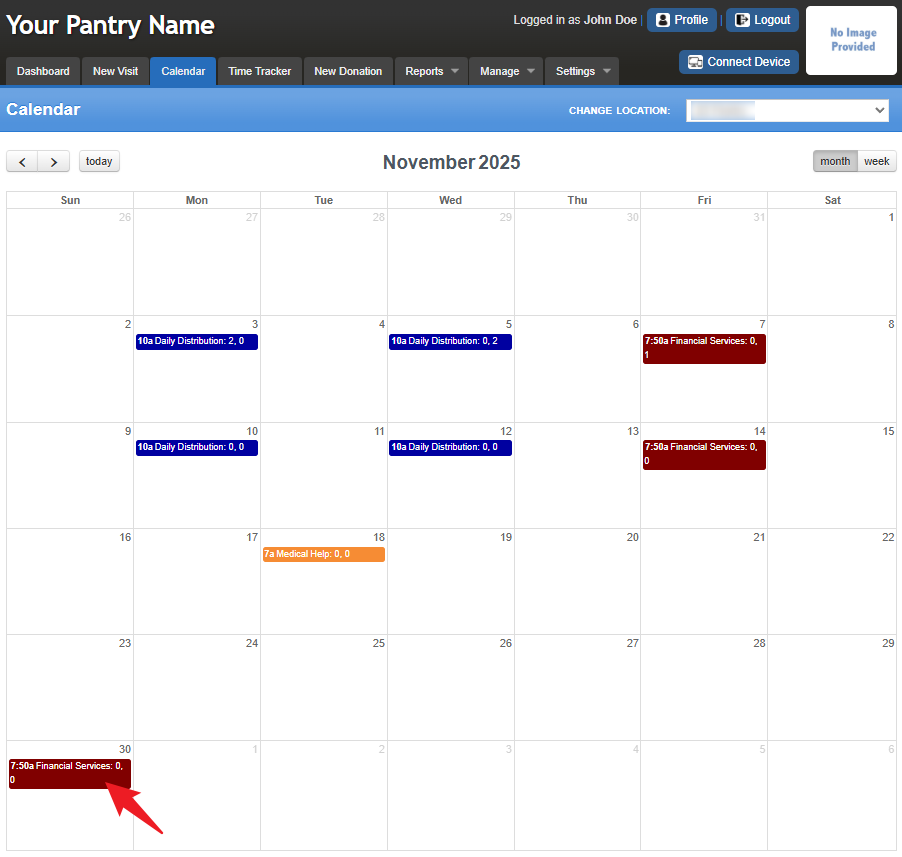
If you have added distributions to your calendar, they will appear as colored bands for easy identification. For example:
- Daily Distribution Outreach (blue) appears on Mondays and Wednesdays.
- Financial Services (maroon) appears on Fridays.
Each color band displays the following: Start Time of the Outreach, Outreach Name, and Numbers (1,0) – The first number shows the guest visits and the second number shows the reservations registered for that distribution.
Adding an Outreach
Click on an empty space on the date you want to schedule the outreach.
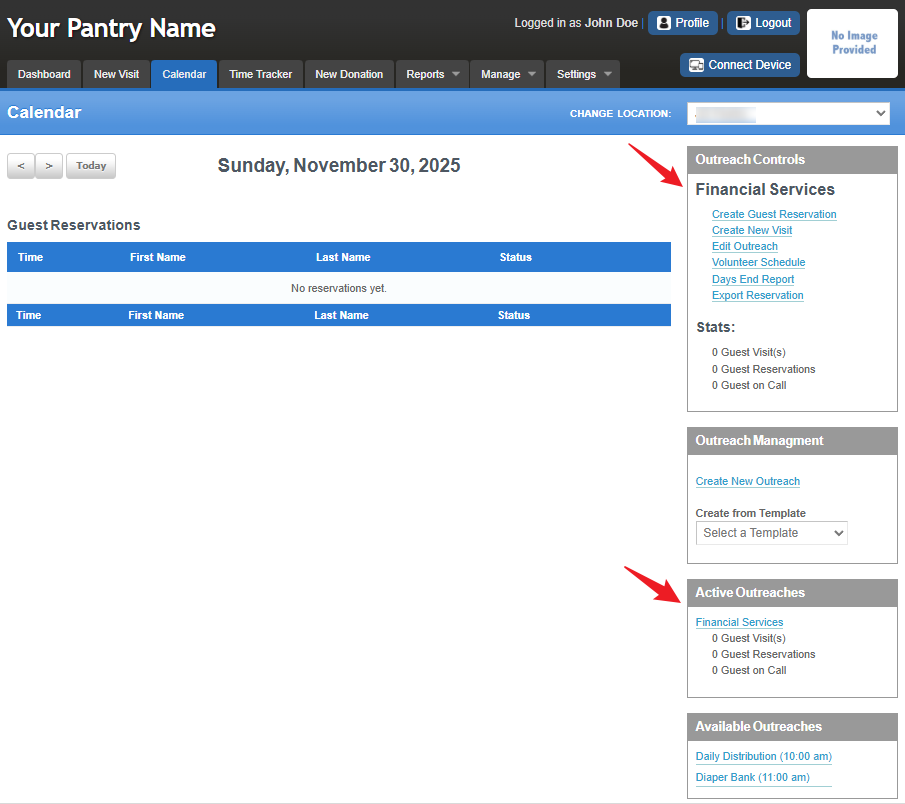
This action will open the Calendar Setup page (see image below)
On the right side of the page, choose one of the following options:
Create a New Outreach – Found under Outreach Management.
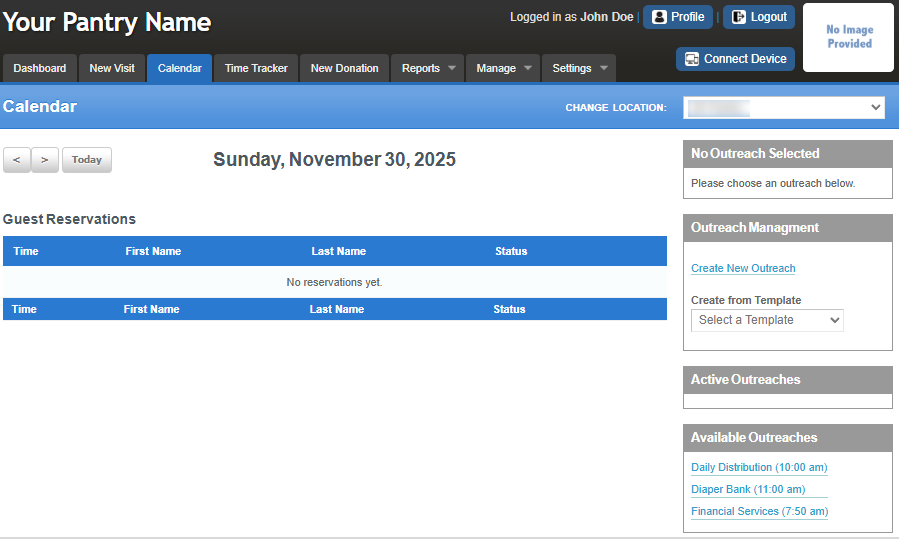
Use an Existing Outreach – Select from your Available Outreaches list.
It will update your view to display the active outreach,
as shown on the right side, based on the option you selected.
You can also navigate to the Calendar and select the desired Outreach for quick access.
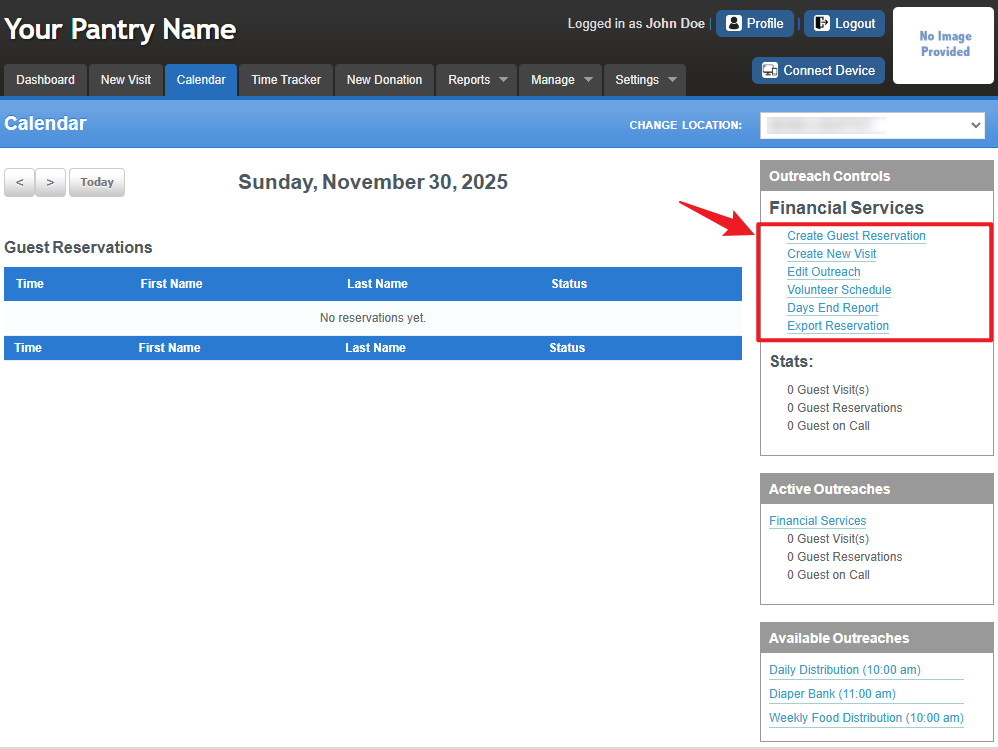
Outreach Controls Explained
This is the expected behavior when you click a section on the right side.
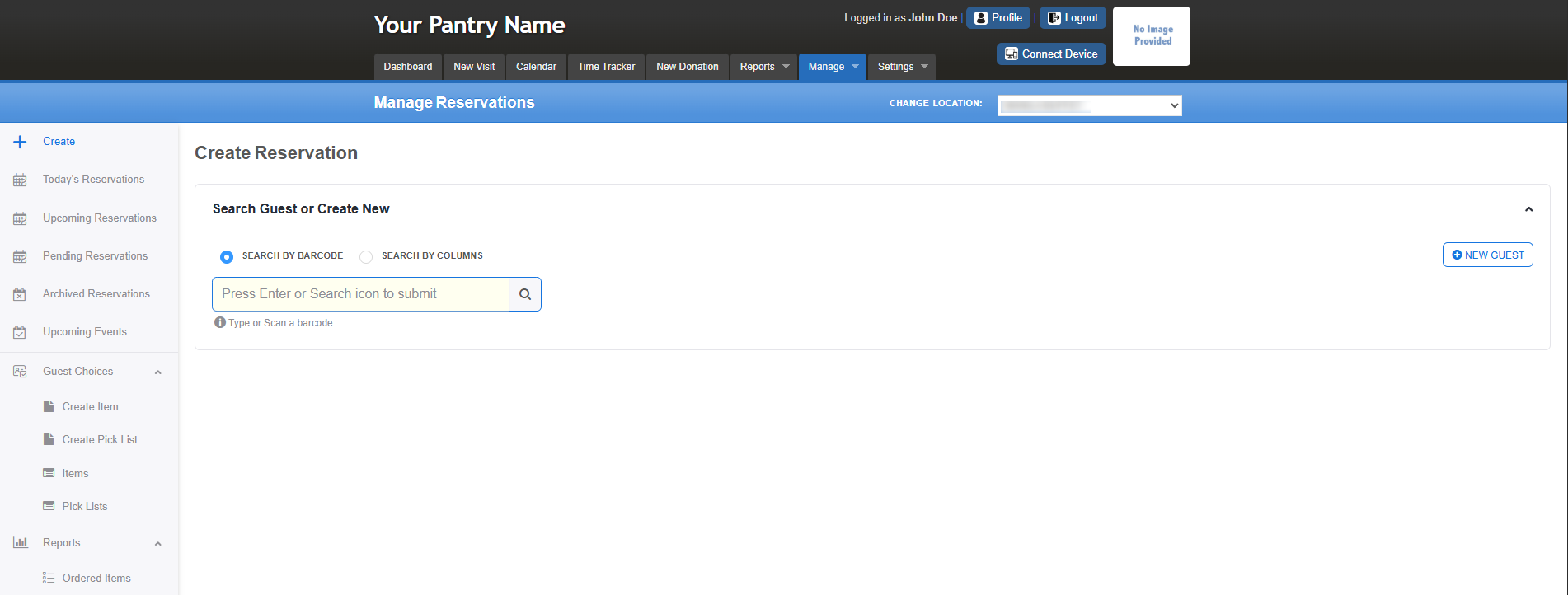
Create Guest reservation
This allows you to create and check in guests for today’s reservations, as well as view archived, pending, and upcoming events. You’ll also have access to guest options and reports. For more details, see the Manage Reservations article.
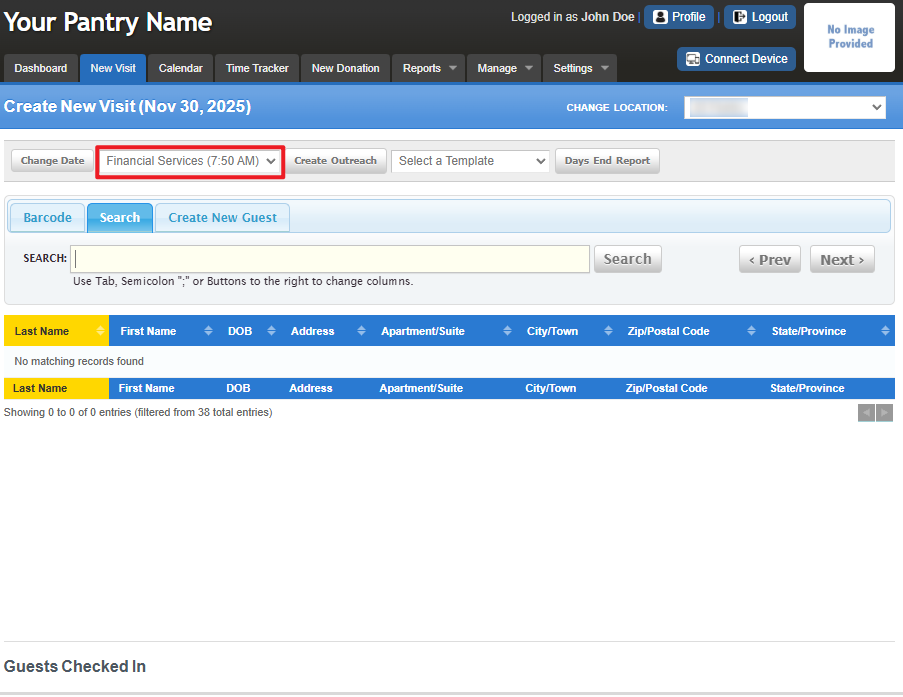
Create New Visit
This automatically assigns the outreach for the selected day and redirects you to the New Visit tab to process the guest’s visit. For more details, see the New Visits article.
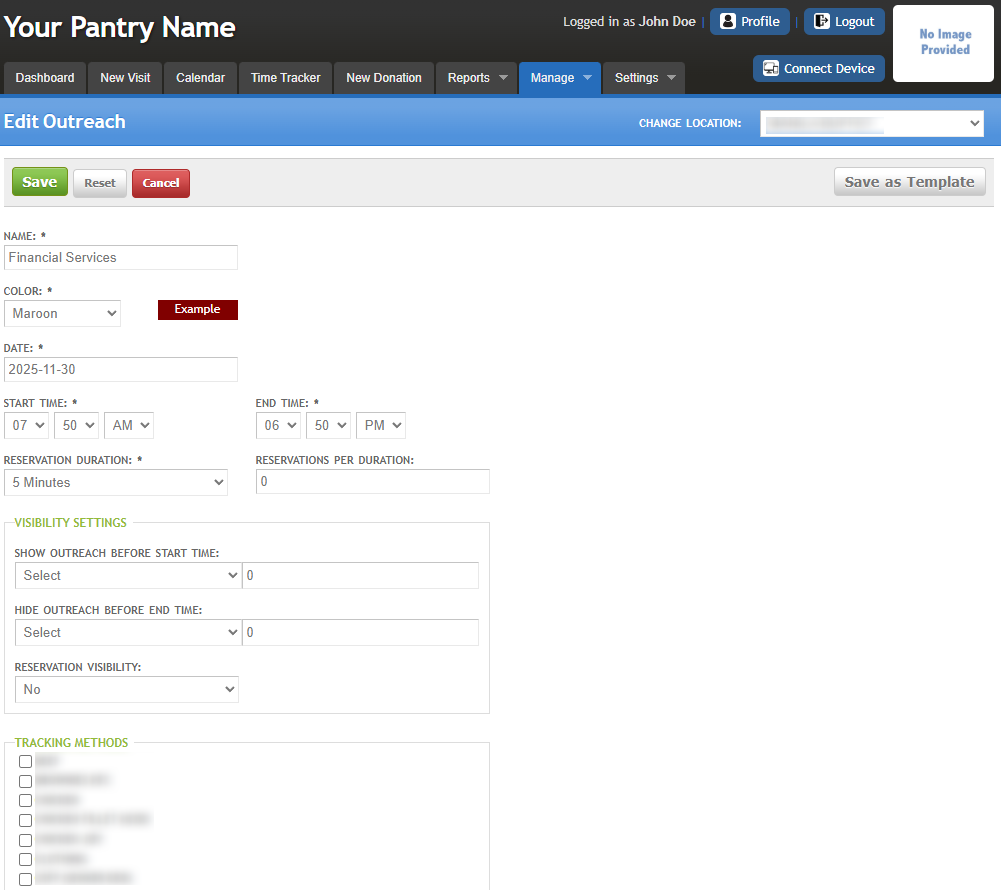
Edit Outreach
Enables you to edit an existing outreach. For more details, refer to the Manage Outreach article.
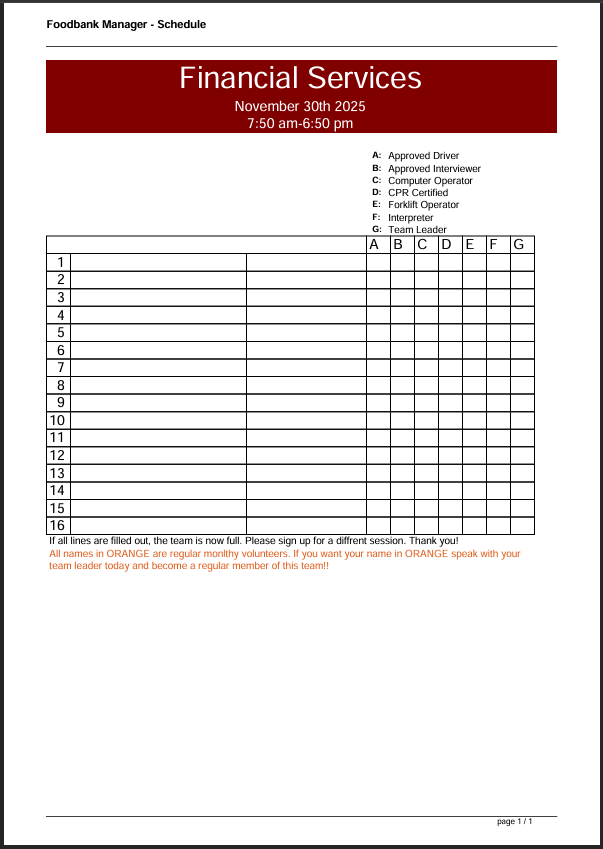
Volunteer Schedule
Provides a printable form to record and manage volunteer sign-ups for each outreach. It helps track volunteer roles, availability, and team assignments efficiently.
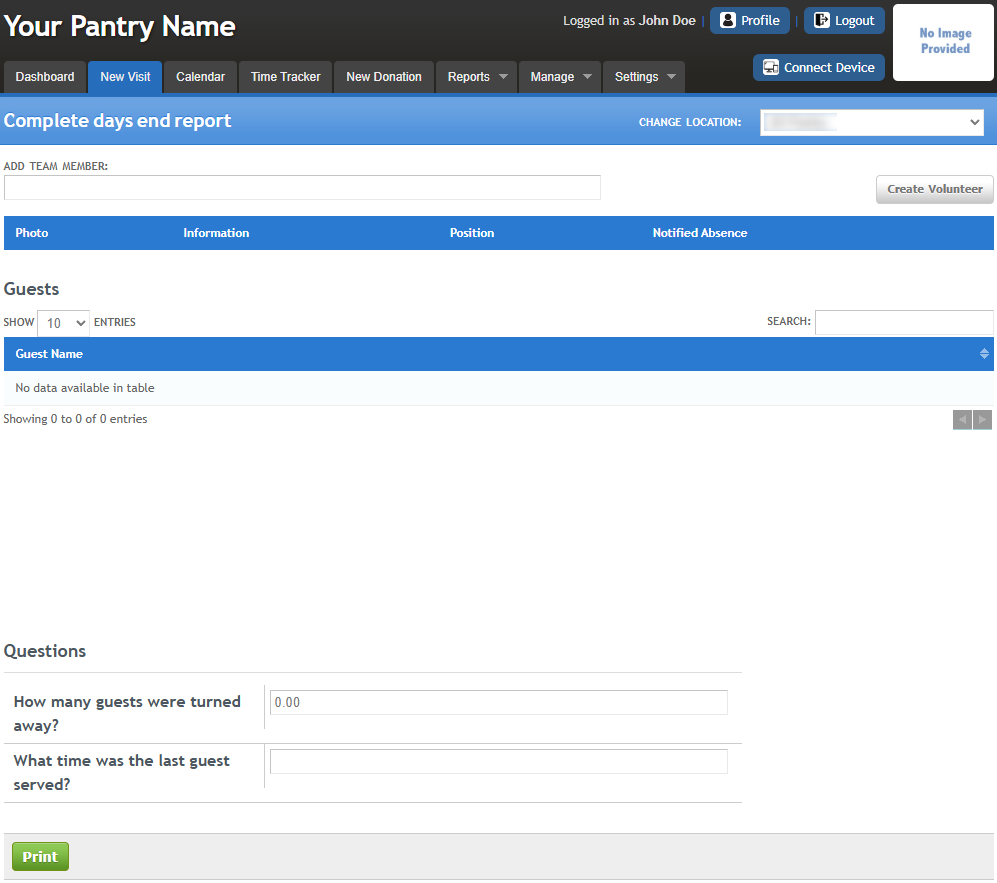
Days End Report
This report can be generated as a PDF or document file for easy download and record-keeping.
For more details, see the New Visit article under Days End Report.
Export Reservation
Exports the outreach and guest reservation details into a CSV file, allowing you to download and keep a record for tracking purposes.
Was this article helpful?
That’s Great!
Thank you for your feedback
Sorry! We couldn't be helpful
Thank you for your feedback
Feedback sent
We appreciate your effort and will try to fix the article