Job Positions are part of an older volunteer attendance and time management process used for tracking volunteers that served. This is accomplished through the Days End Report when you assign the jobs the volunteers worked. This system has its uses for some applications but is limited in scope and flexibility when compared to the newer system, Time Tracker.
When using Job Positions the time that the outreach is configured for is added to the volunteers serve time, when you select the job they performed in the days end report for that outreach.
Job Positions are also used to identify the leader when using the "Schedule" option in "Manage Outreach".
It is ok to not use Job Positions but if you decide to delete them you are required to keep at least one Leader Position and One Team Position active, for the system to work properly.
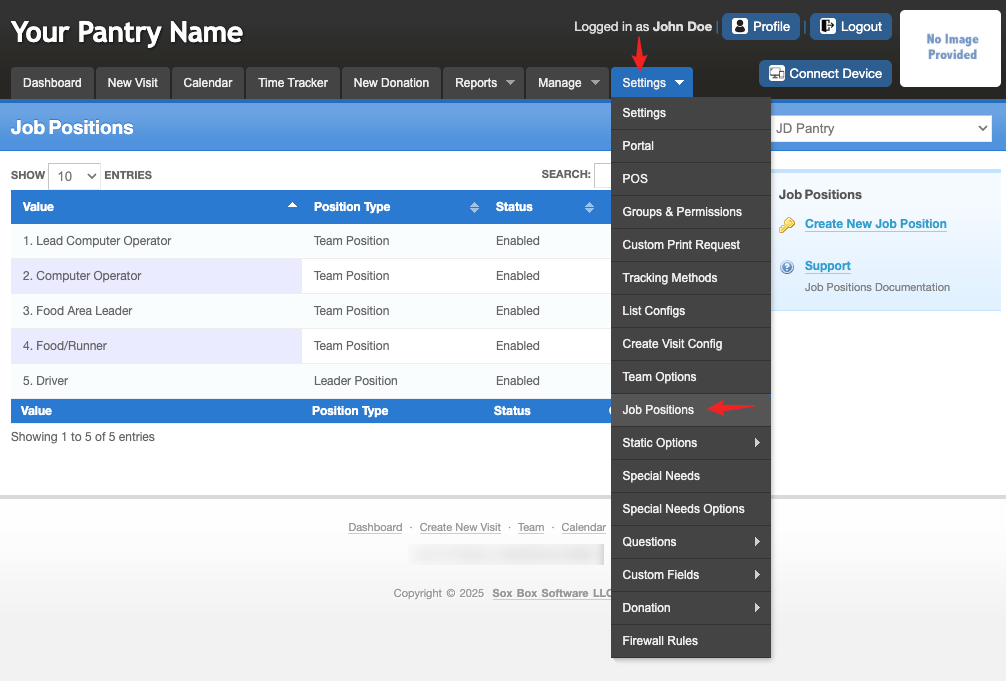
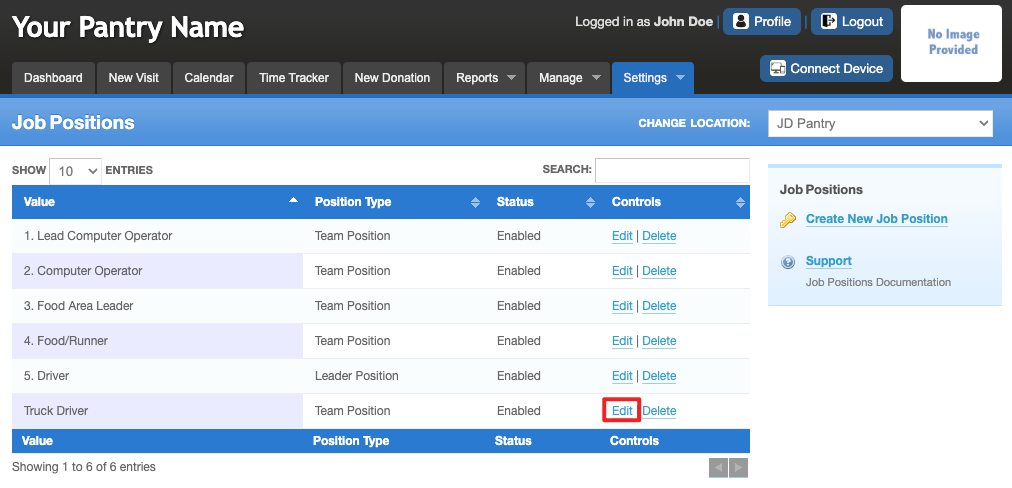
To customize "Job Positions", go to Settings > Job Positions.
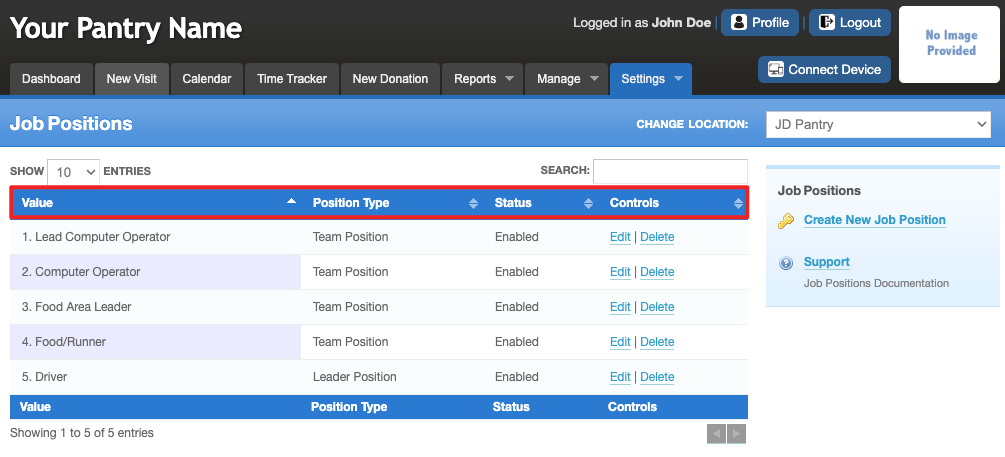
The main page shows:
Value – The name of the position.
Position Type – Lets you know if the position is a Leader or Team role.
Status – Shows if the field is in use. ‘Enabled’ is in use, ‘Disabled’ is not in use.
Controls – Links to manage (edit or delete) the Job Position.
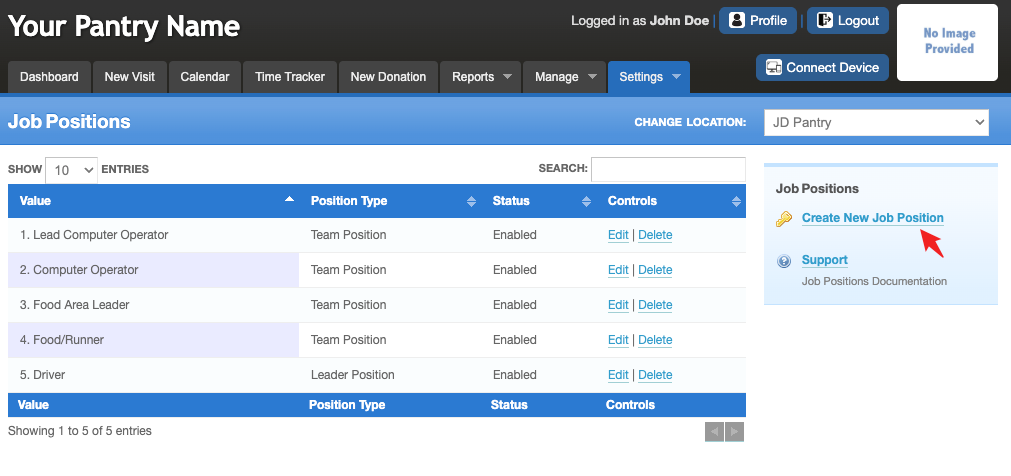
Create New Job Position – Add new "Job Positions" as needed.
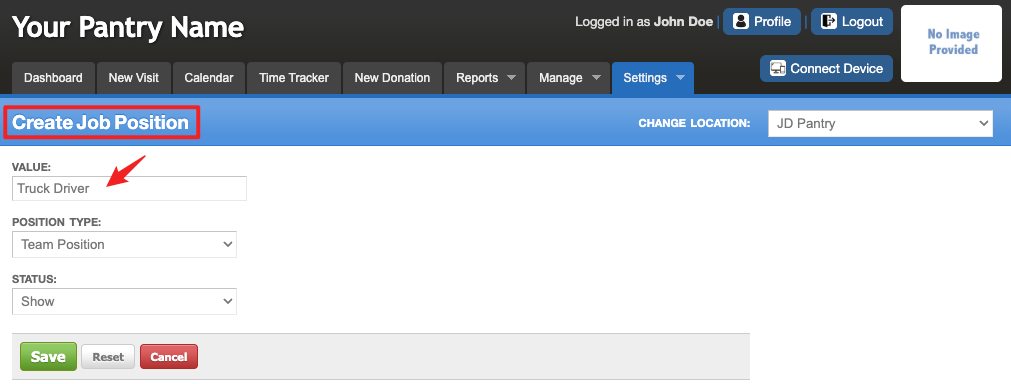
To create a new "Job Position", click on "Create New Job Position" next to the gold key. Fill in the field information and click "Save".
To edit an existing position, click on the "Edit" link. Edit the information and "Save".
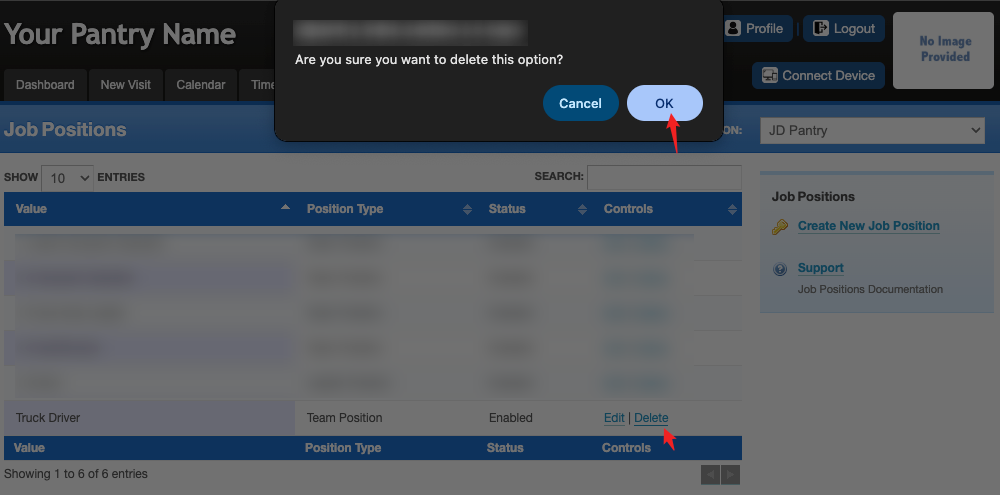
To delete an existing position, click on the "Delete" link. A pop-up warning will ask "Are you sure you want to delete this option?", click "OK".
Was this article helpful?
That’s Great!
Thank you for your feedback
Sorry! We couldn't be helpful
Thank you for your feedback
Feedback sent
We appreciate your effort and will try to fix the article