Streamline your distribution workflow with the Portal—an optional add-on module for FoodBank Manager (FBM). Enabling it allows guests to book their own appointments online, cutting down on manual data entry so your staff and volunteers can focus on what matters most.
Note: The Portal is available exclusively within FBM and requires an active subscription; it is not a standalone product.
Why Enable the Guest Portal?
Convenient Online Reservations: Gives your guests the flexibility to self-schedule their distribution appointments from anywhere.
Automated Email Notifications: Keeps your guests informed and reduces no-shows with automatic reservation confirmations, updates, and timely reminders sent directly to their inbox.
Pricing Details
Portal Module: $25.00 per month / per location
How to Enable and Subscribe to the Portal
Follow these step-by-step instructions to activate the portal for your location.
Step 1: Access Your Account
Go to https://secure.soxbox.co/login log in using your admin email address, and navigate to the Manage Account section.
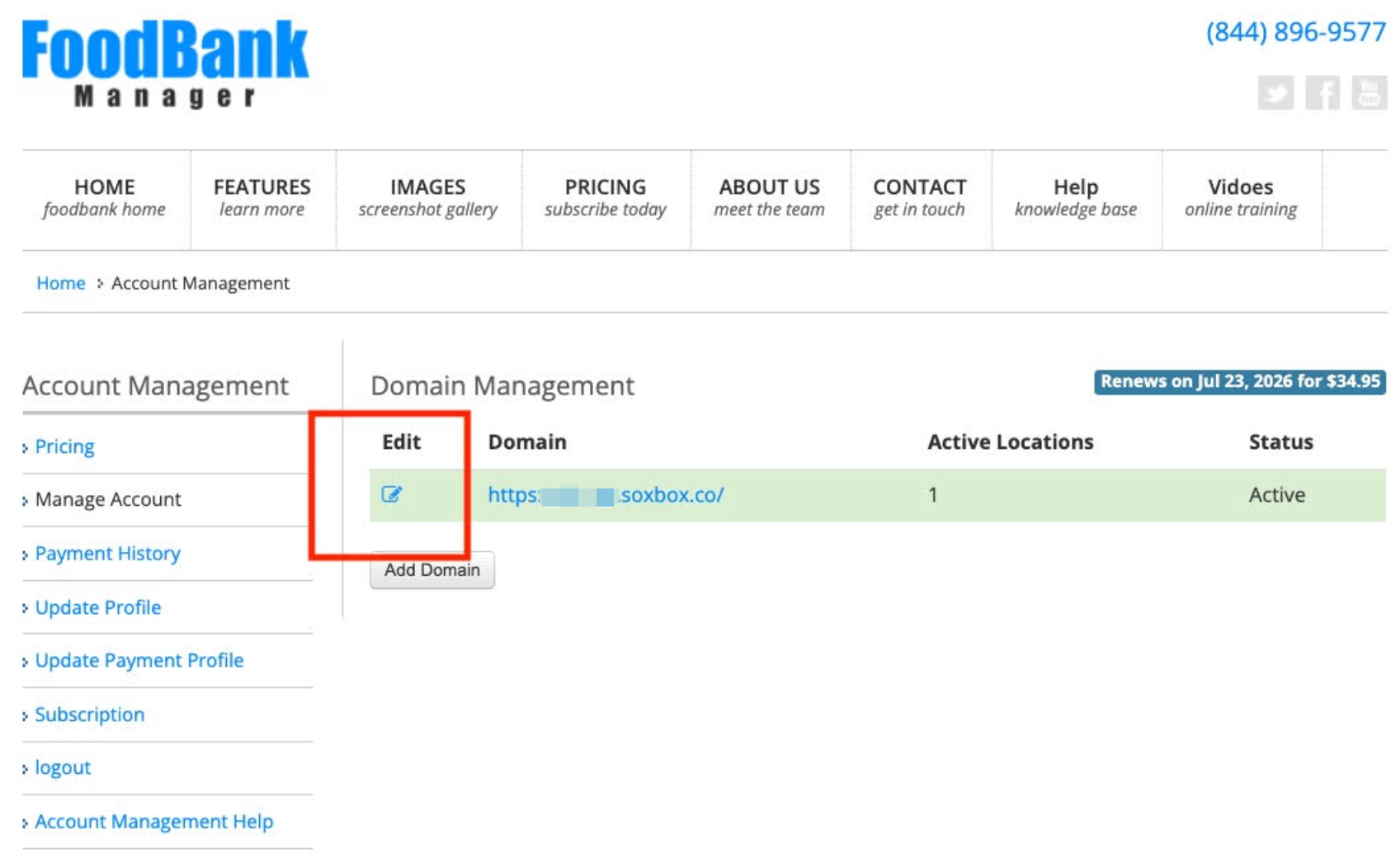
Step 2: Go To Your Domain
Click the Edit icon next to your domain(as shown in the red box in the screenshot below).
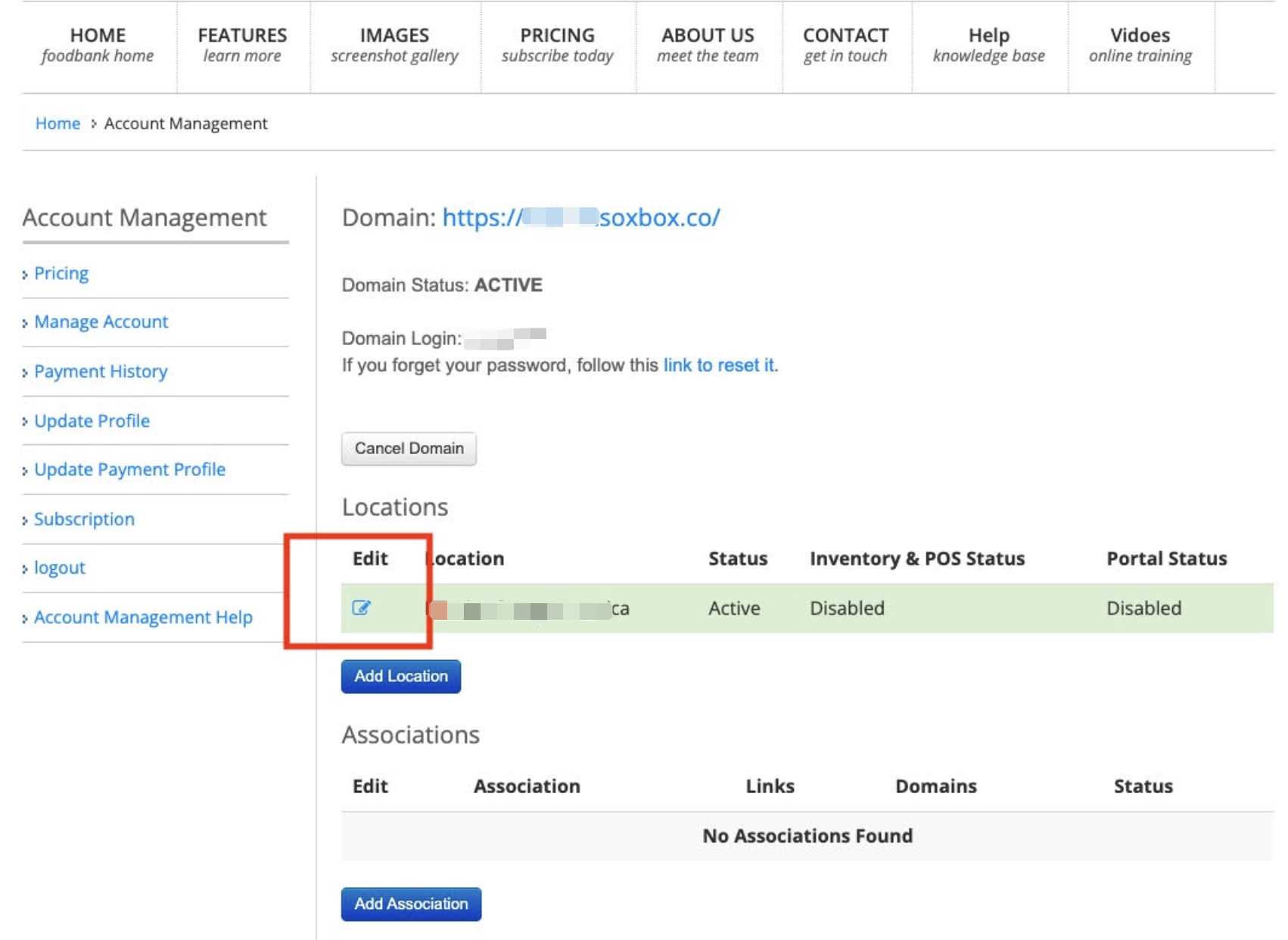
Step 3: Go To Your Location
Scroll down to your locations list and click the Edit icon next to the specific location you want to add the portal.
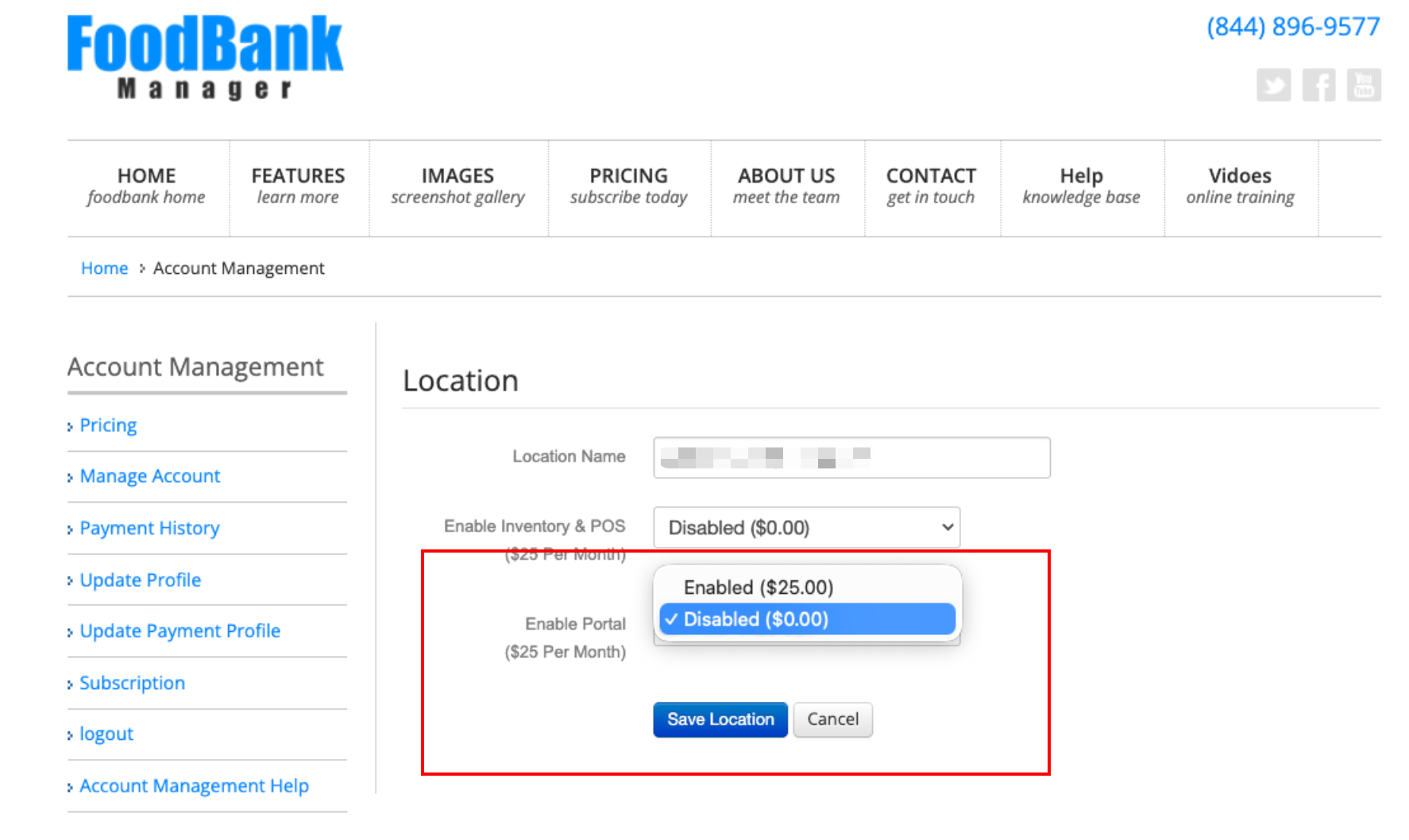
Step 4: Enable The Portal & Save
Change the Enable Portal drop-down menu to Enabled, then click the Save Location button to apply the changes.
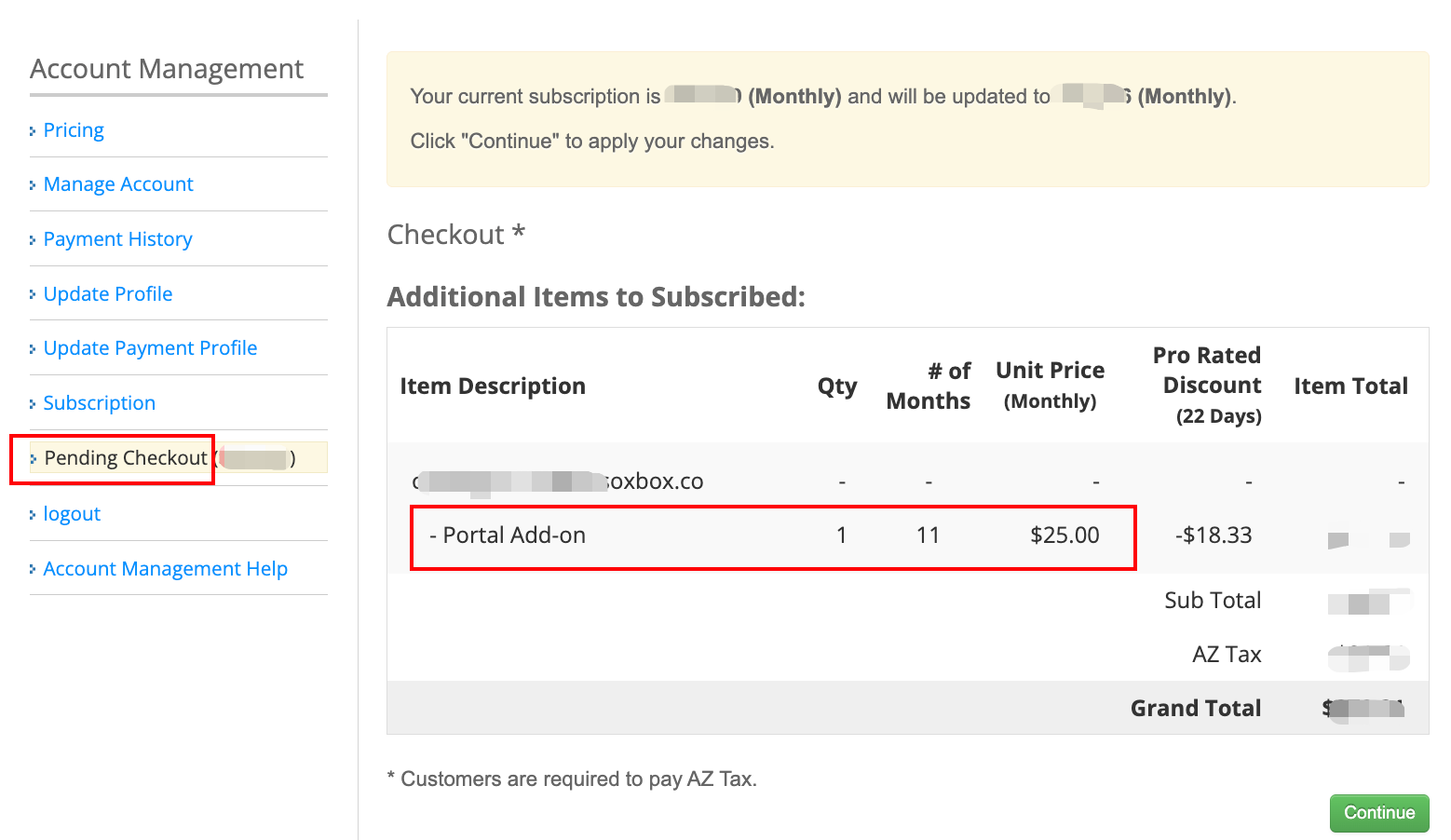
Step 5: Review Your Billing
Go to the Pending Checkout tab. review your subscription details to ensure the correct items and pricing are reflected Click Continue.
Important Note: If you are subscribing to the Portal in the middle of your billing cycle, your initial charge will be prorated to reflect only the remaining days of the current billing. Regular billing of $25.00 per month per location will resume on your next standard billing date.
Step 6: Complete Checkout
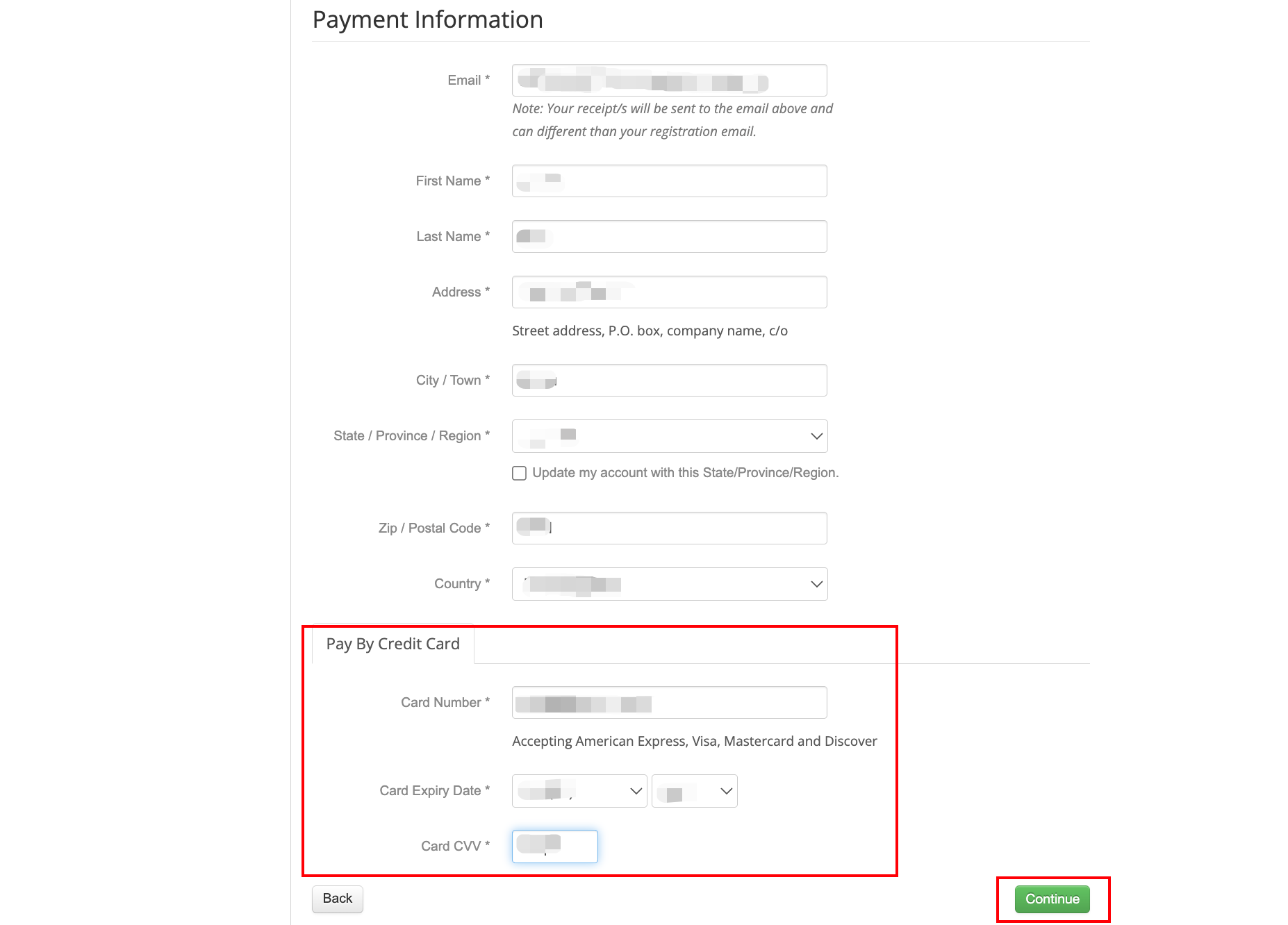
Enter your credit card or payment details into the secure form fields provided. Once all required information is filled out, click the Continue button to finalize your subscription.
Congratulations! By completing these steps, your Portal add-on will be fully activated.
You have successfully automated your scheduling process. Your guests can now book their own slots seamlessly, saving your team hours of manual coordination and ensuring a smoother distribution day for everyone.
Need help? If you run into any issues during the setup process, please contact our support team.
Related Articles
To learn more about these features, see the articles below:
Was this article helpful?
That’s Great!
Thank you for your feedback
Sorry! We couldn't be helpful
Thank you for your feedback
Feedback sent
We appreciate your effort and will try to fix the article