Guest Force Edit

Modified on Mon, 16 Mar at 4:29 AM

TABLE OF CONTENTS


Overview

The Guest Force Edit feature requires staff to review and update a guest’s information before a visit can be created. This helps ensure guest records remain accurate and up to date, in line with your agency’s data management policies. 

How to Enable

Navigate to Settings > Settings > Guest, then scroll to the Guest Force Edit section. 


Configuration Options

Within the Guest Force Edit section, you can configure the following options.


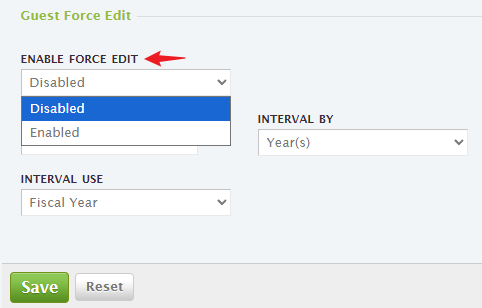
Enable Force Edit

  • Use the dropdown to enable or disable the Force Guest Record Update feature.

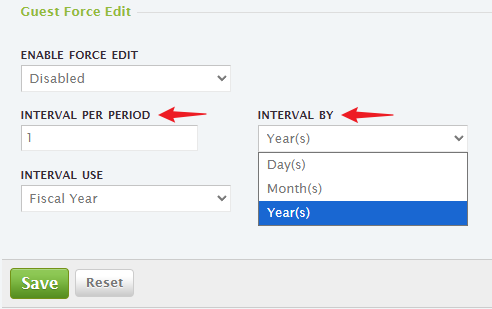
Interval Period    

  • Set how often guest information must be reviewed and updated (e.g., monthly).

  • When the defined interval is reached, a Guest Force Edit alert appears on the Create New Visit page.

  • Staff must update the guest’s information before the visit can be completed.

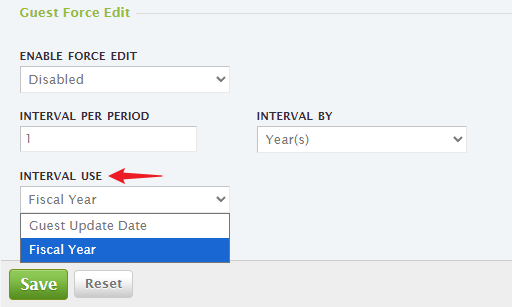
Interval Use

  • Choose how the update interval is calculated using the dropdown.

  • Available options include:

    • Guest Update Date

    • Fiscal Year


What the Alert Means

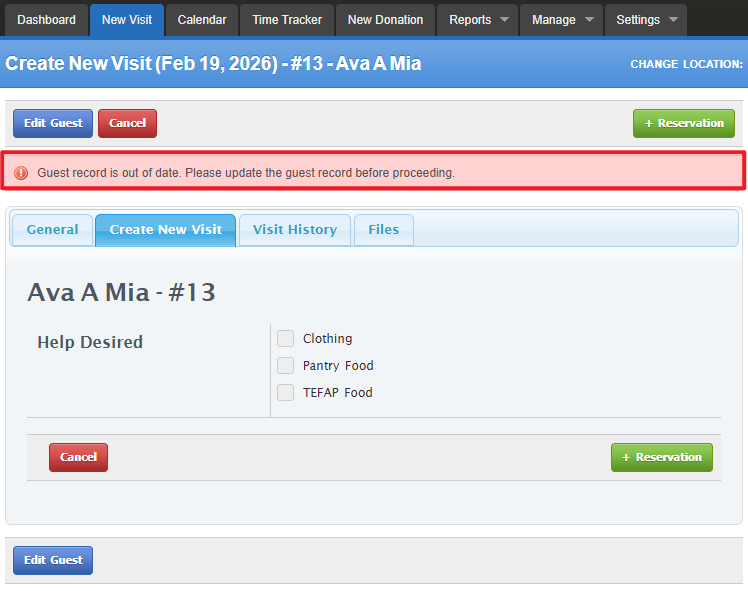
When a Guest Force Edit alert appears, it indicates that the guest’s information is due for review and must be updated before the visit can be validated. This behavior follows your current Guest Force Edit configuration.


Alert Message Display Location

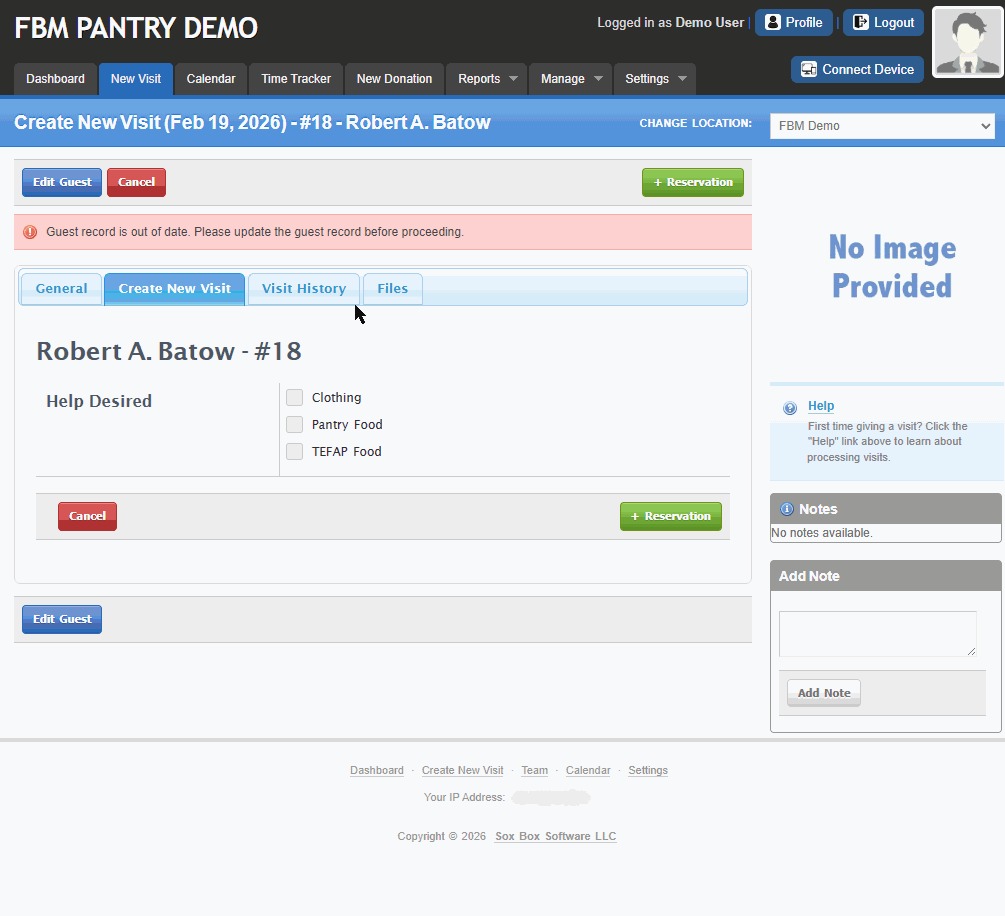
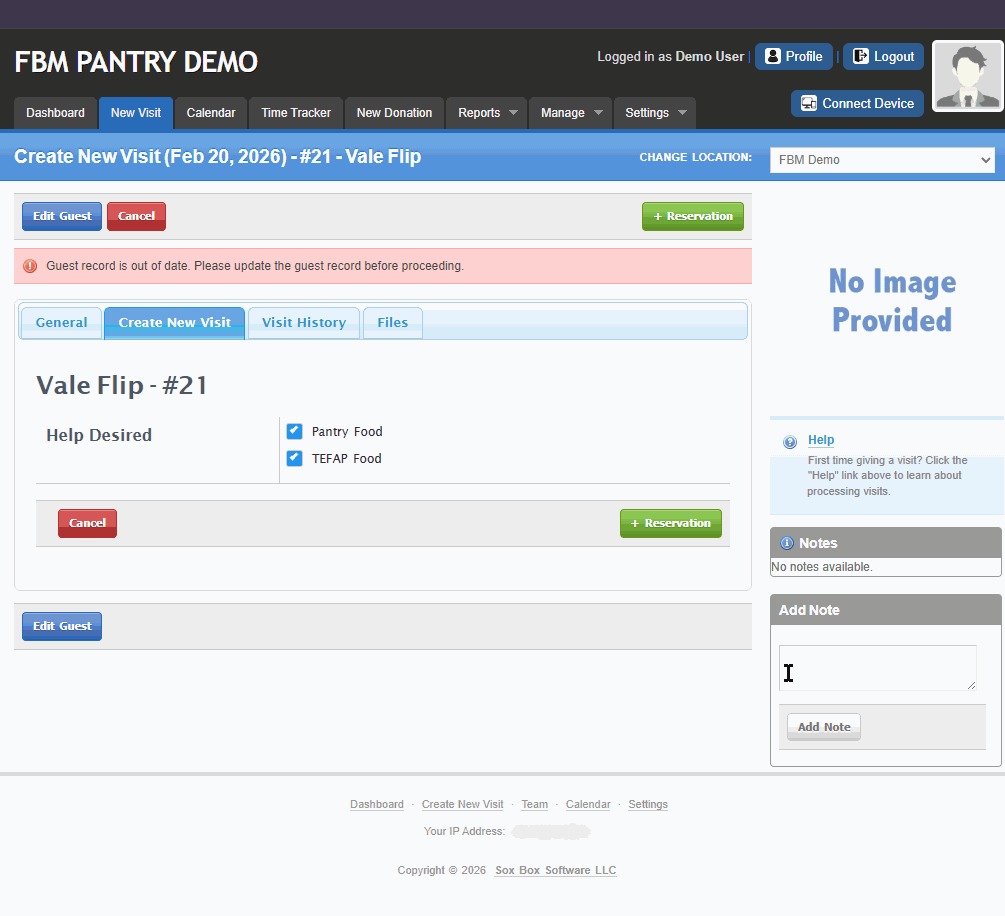
The "Guest record is out of date. Please update the guest record before proceeding" alert appears on the New Visit tab under selected guest on the Create New Visit page.


To resolve the alert, you can:

  • Click Edit Guest to update the guest’s information, or

  • Navigate to Settings > Settings > Guest Tab to adjust or disable your current Guest Force Edit settings.


Note: The Save Visit button will not appear unless you edit the guest information or disable your Guest Force Edit setting.


How to Remove “Guest Record is out of date” Alert.

Edit the guest information to remove the “Guest record is out of date” alert.

Update the guest record by editing the necessary information and saving the changes. Once the record is updated, the alert will be removed. 


Disable Your Guest Force Edit to remove the “Guest record is out of date. Please update the guest record before proceeding.” alert.


Disabling your 
Guest Force Edit will remove this alert. If you prefer to keep the feature enabled, you can adjust the alert behavior by updating your configuration via Settings> Settings> Guest Tab> Guest Force Edit.


Disclaimer: All information shown here, including names, dates of birth, and other details, is for demonstration purposes only and does not reflect real individuals.


Back to Top

Was this article helpful?

That’s Great!

Thank you for your feedback

Sorry! We couldn't be helpful

Thank you for your feedback

Let us know how can we improve this article!

Select at least one of the reasons
CAPTCHA verification is required.

Feedback sent

We appreciate your effort and will try to fix the article